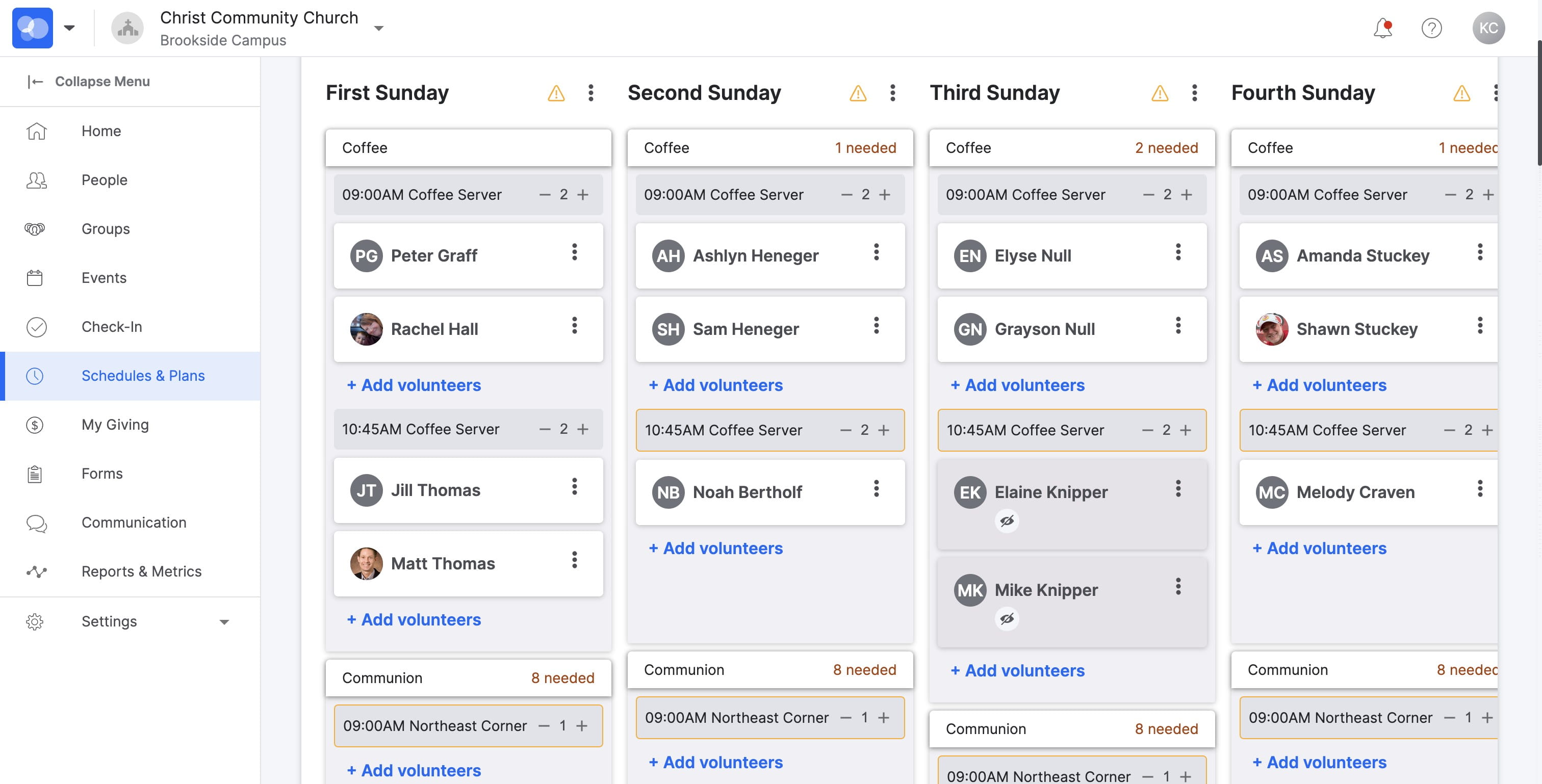
Managing Your Serve Teams
Adding or removing volunteers to serve teams and serve rotations
May 16, 2024●
2
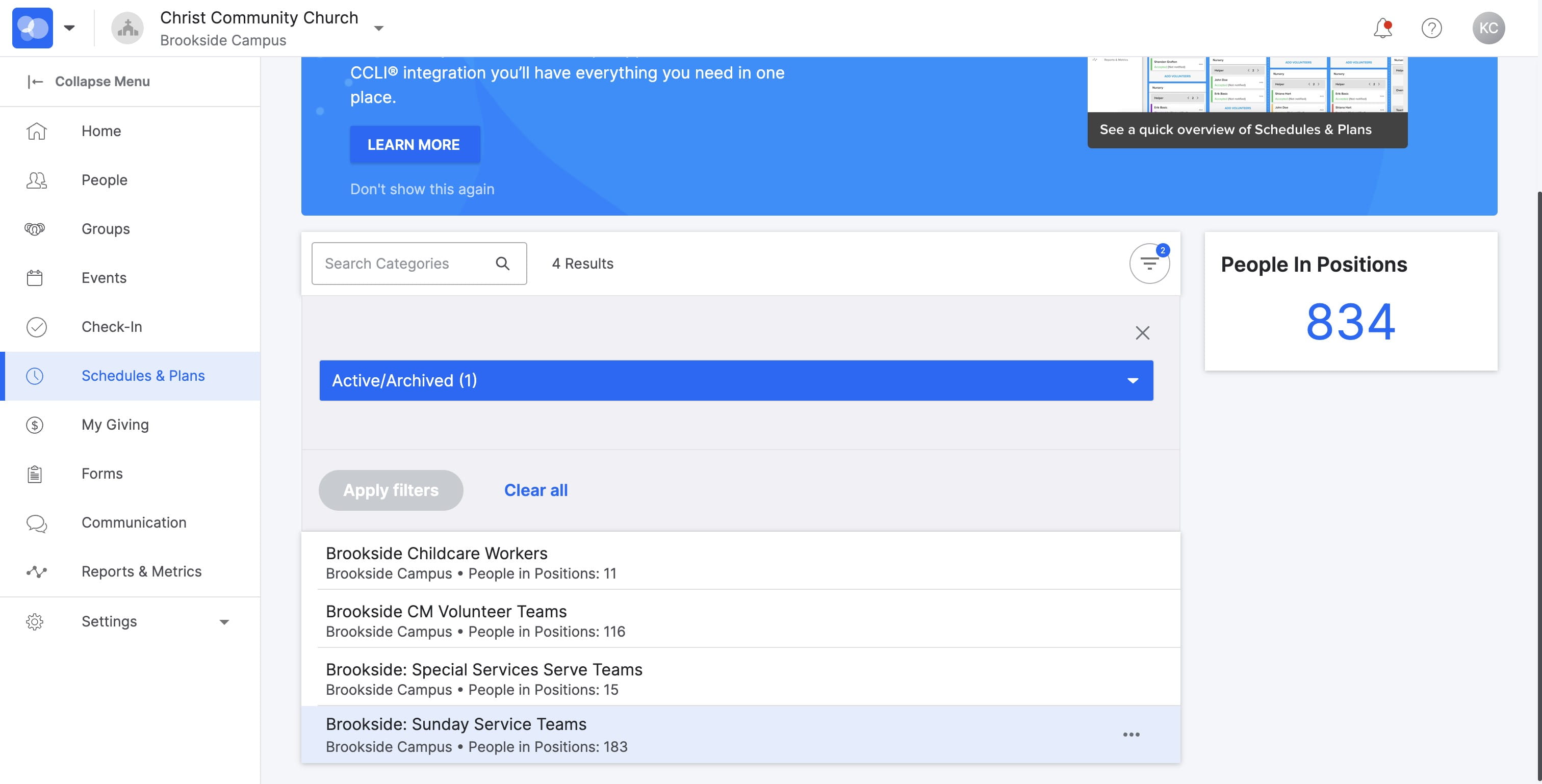
SELECT "Brookside: Sunday Service Teams"
3
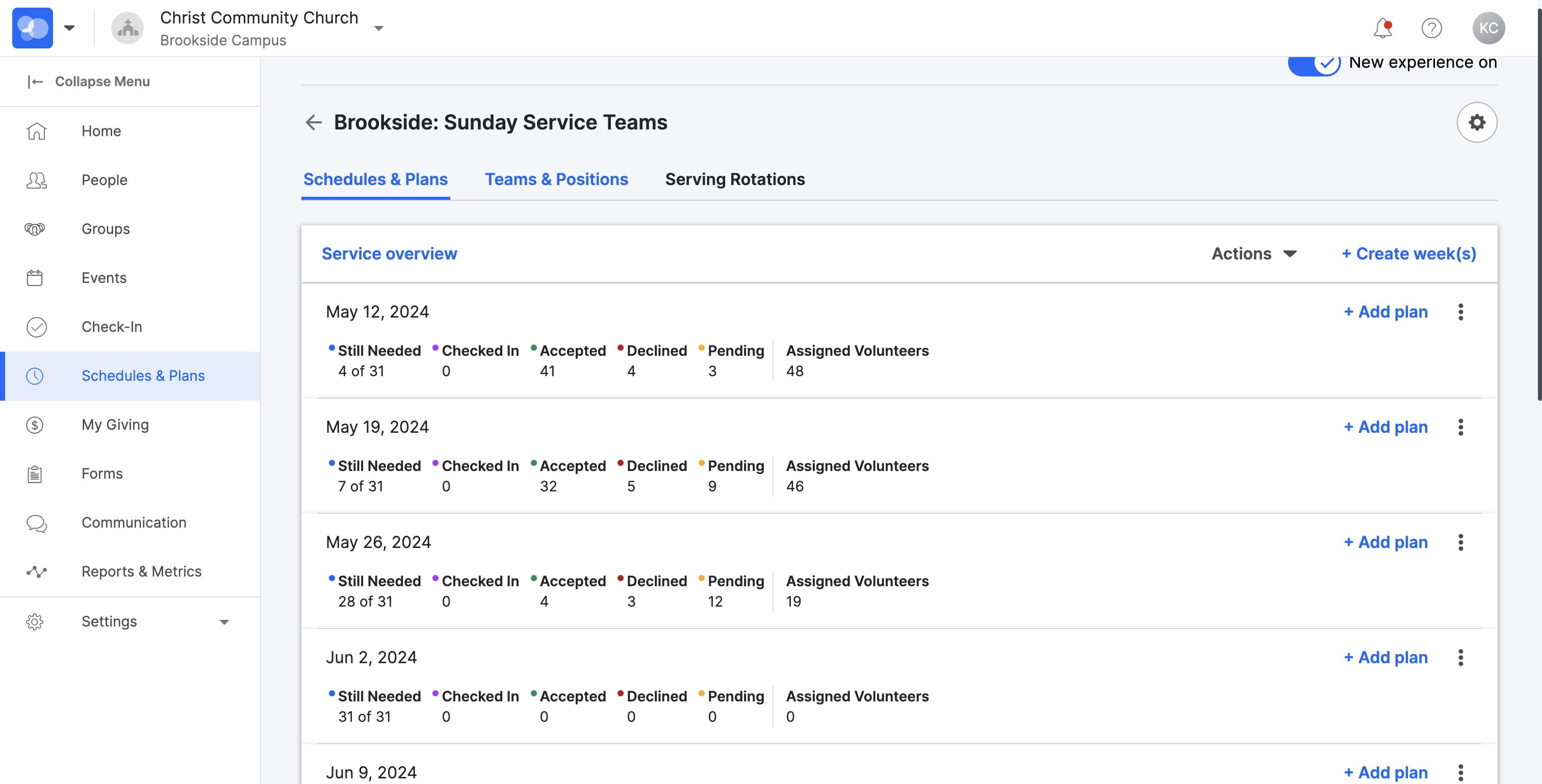
SELECT "Teams & Positions"
4
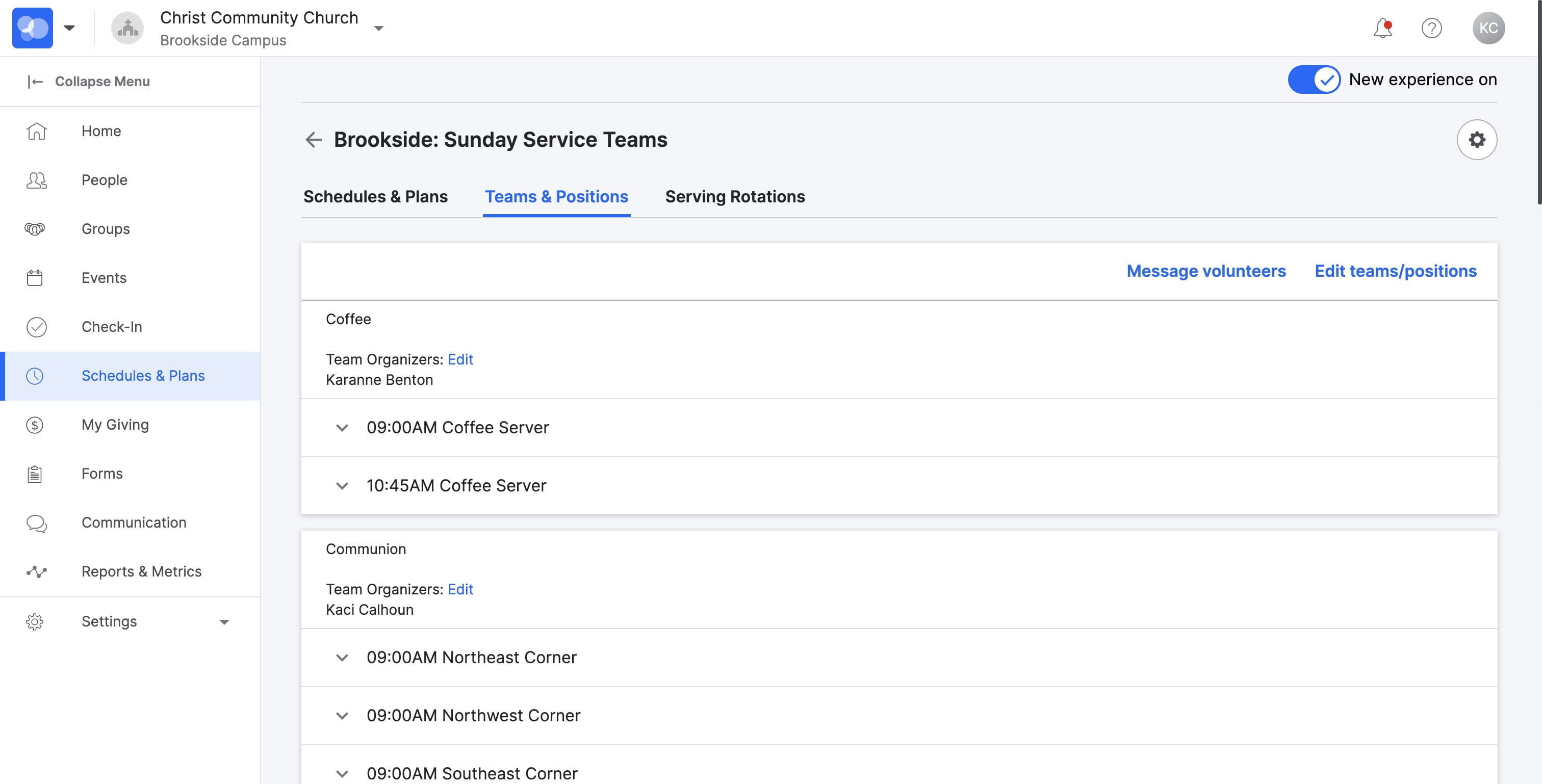
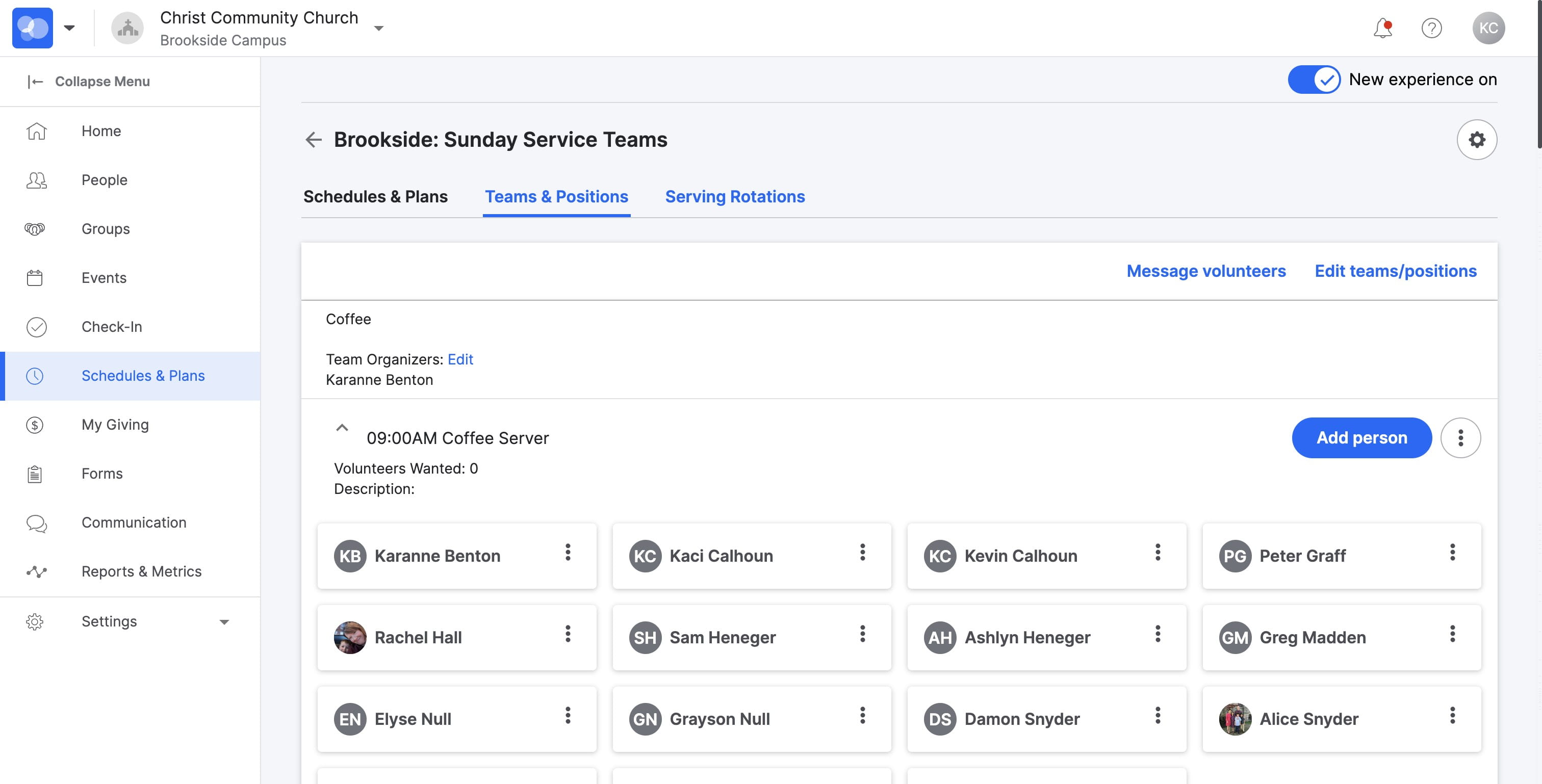
SELECT the serve option to show serving team
5
SELECT "Add person" to add an additional person to this team
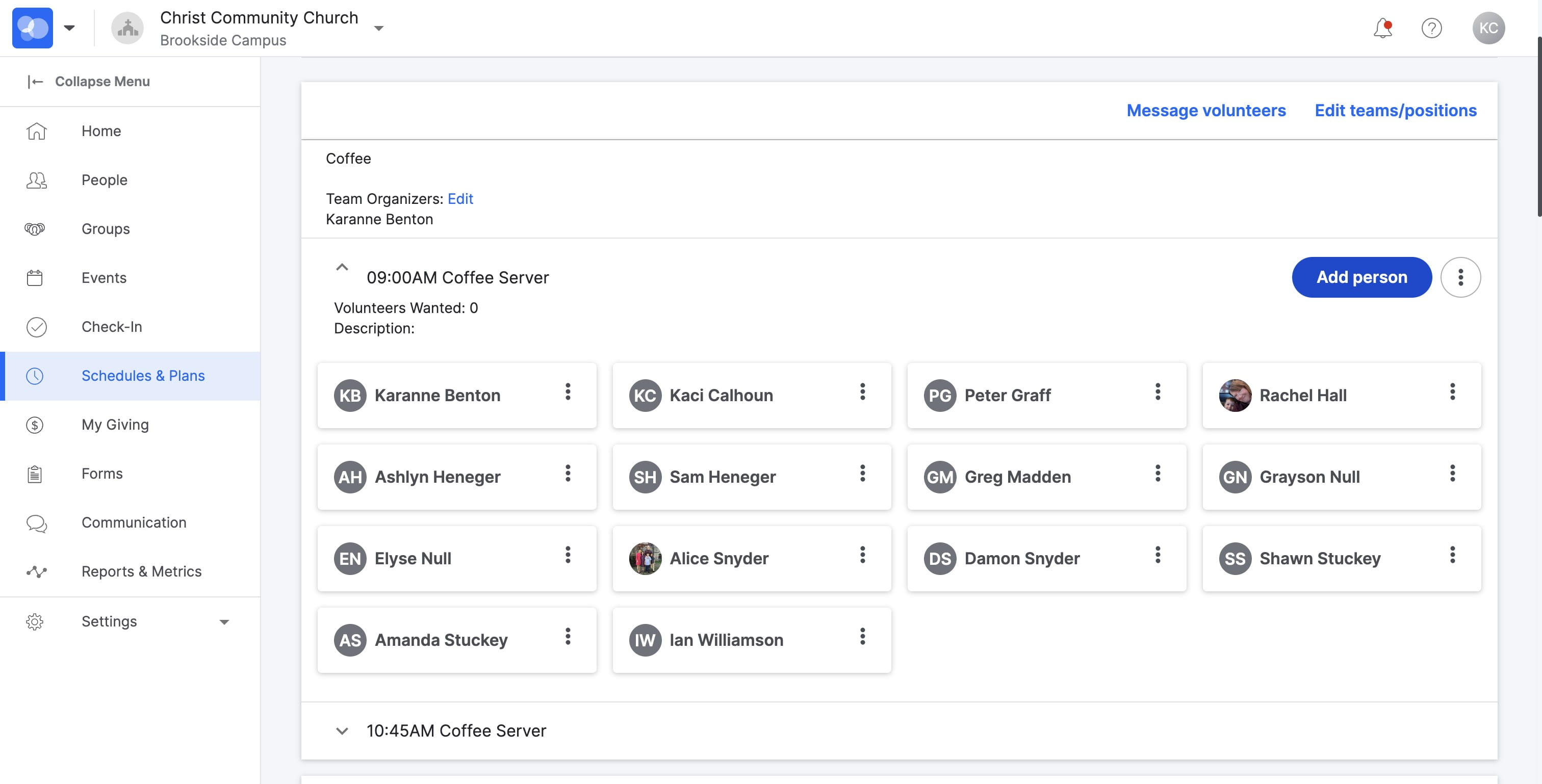
6
TYPE the persons name here
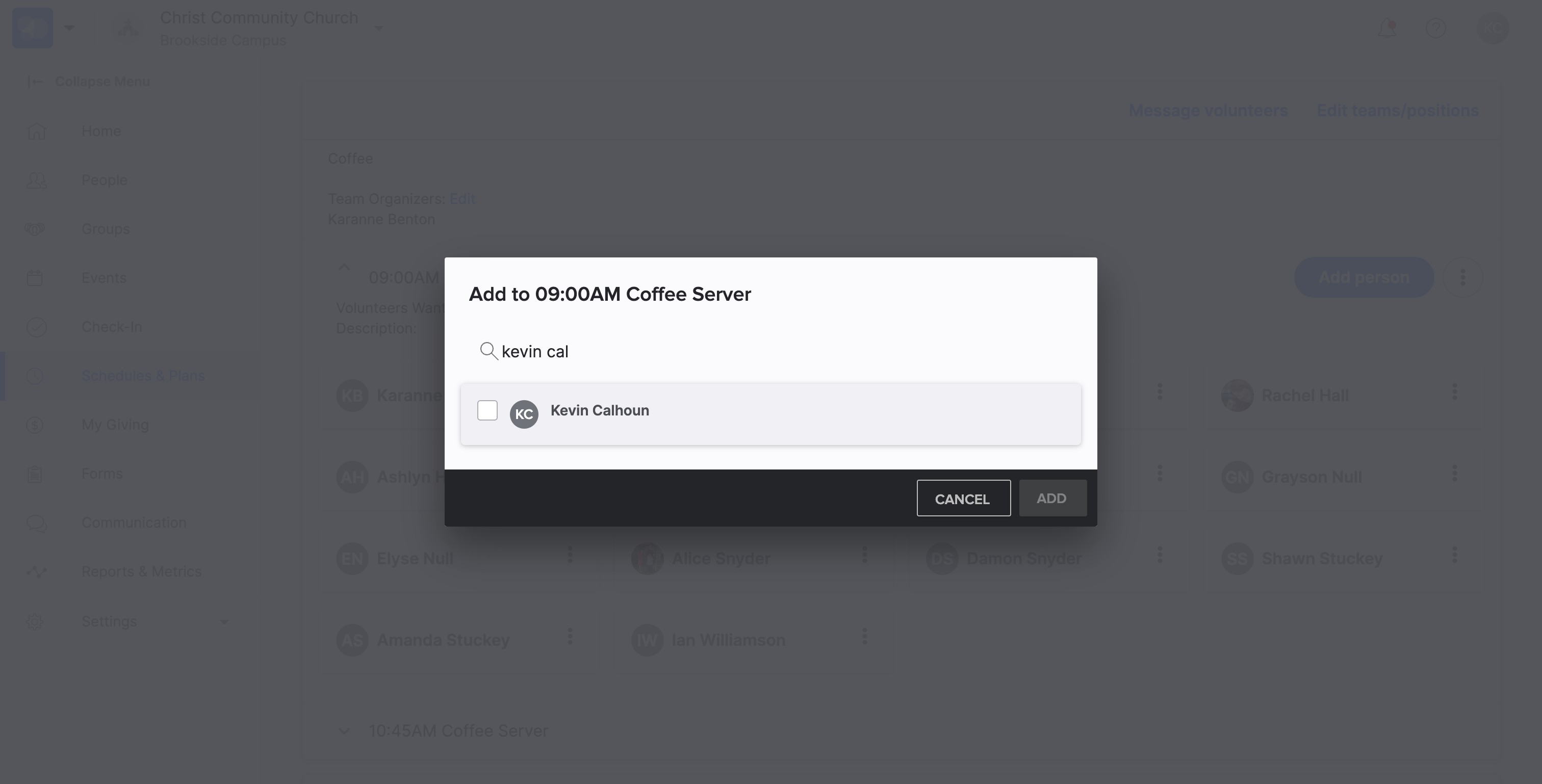
7
SELECT "add 1" will add them to the serving team
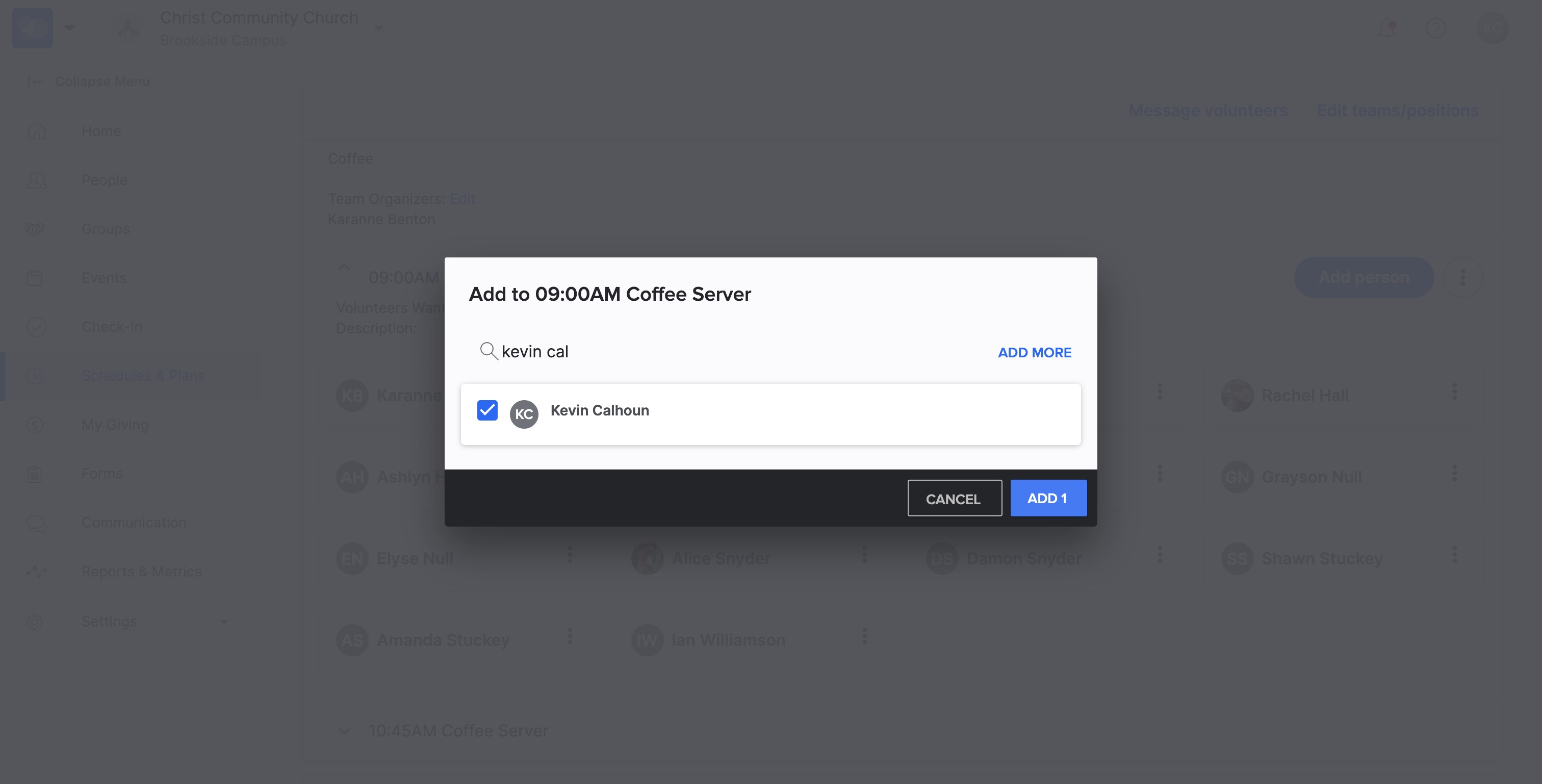
8
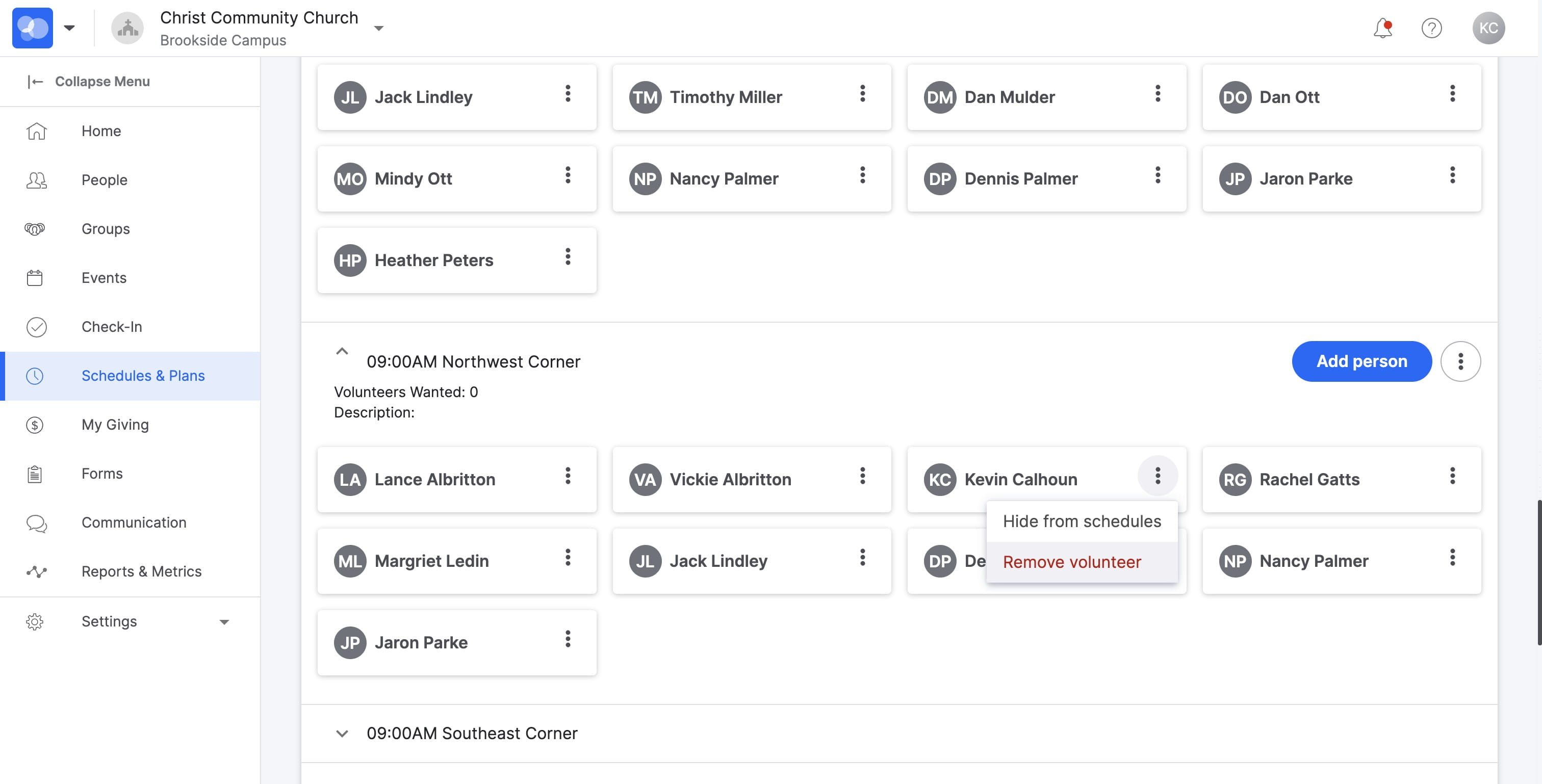
To REMOVE a team member, select the three dots
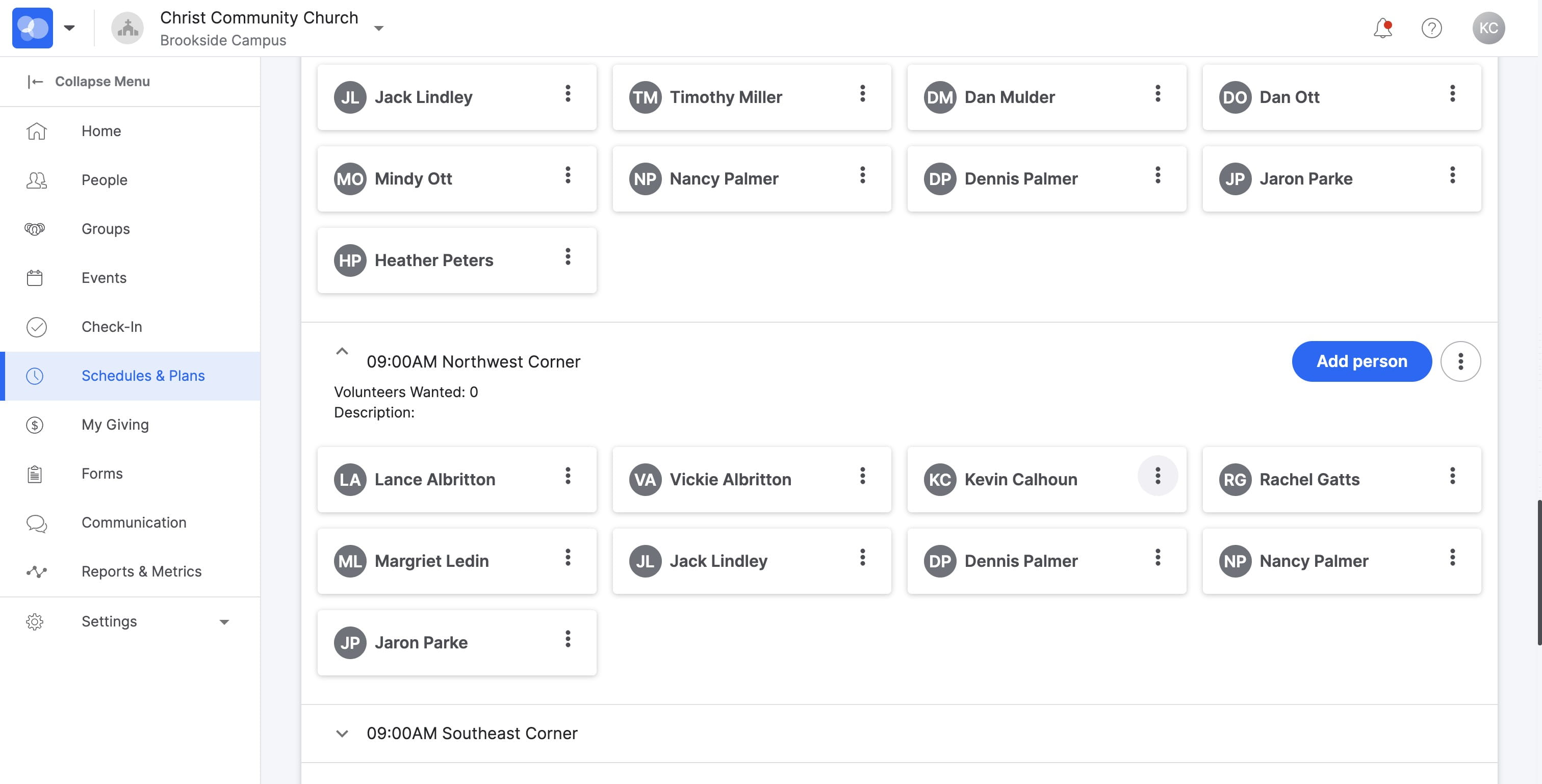
9
SELECT "Remove volunteer"
Serving Rotation Scheduling
10
SELECT "Serving Rotations"
11
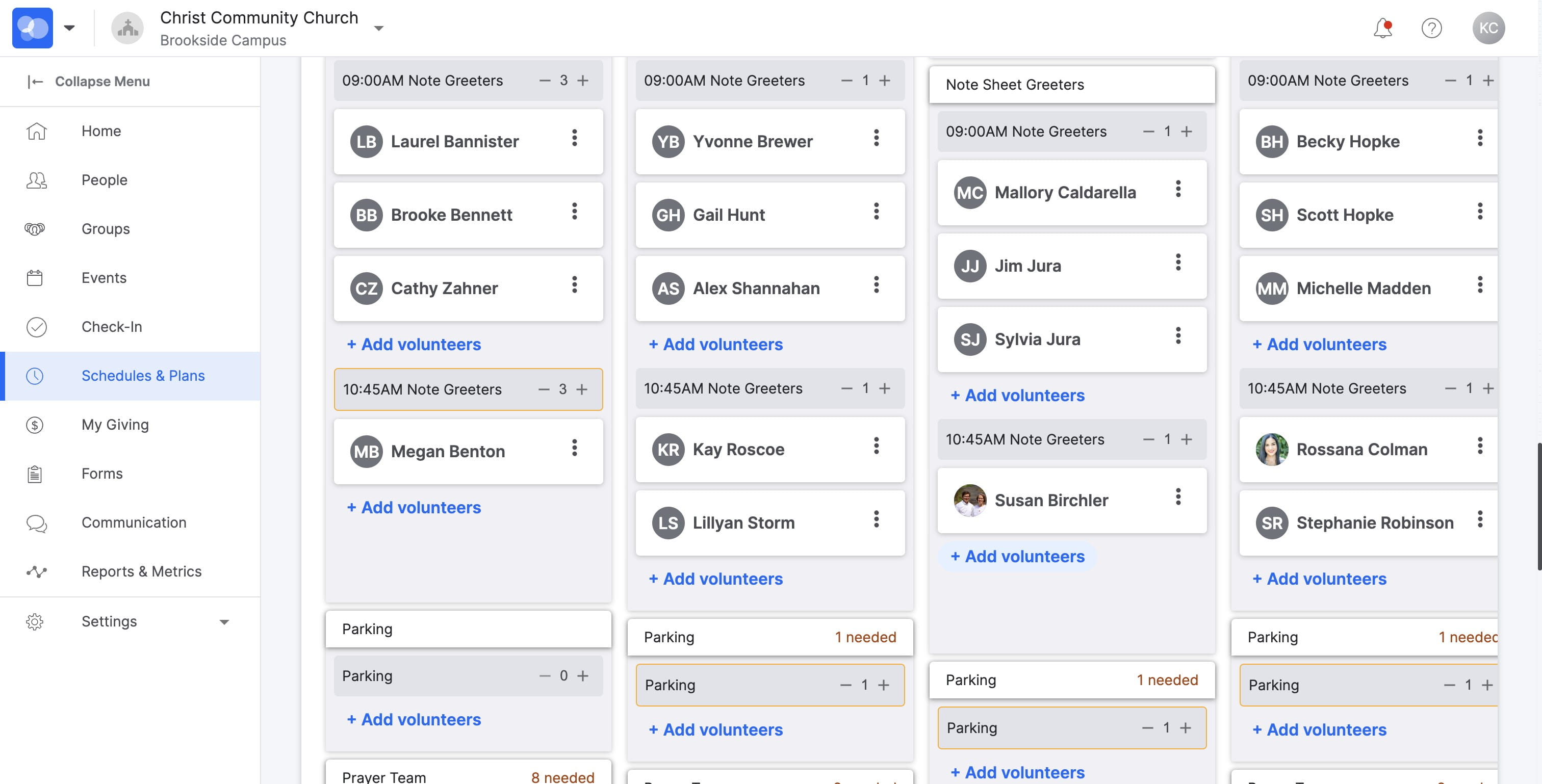
SELECT "+ Add volunteers"
12
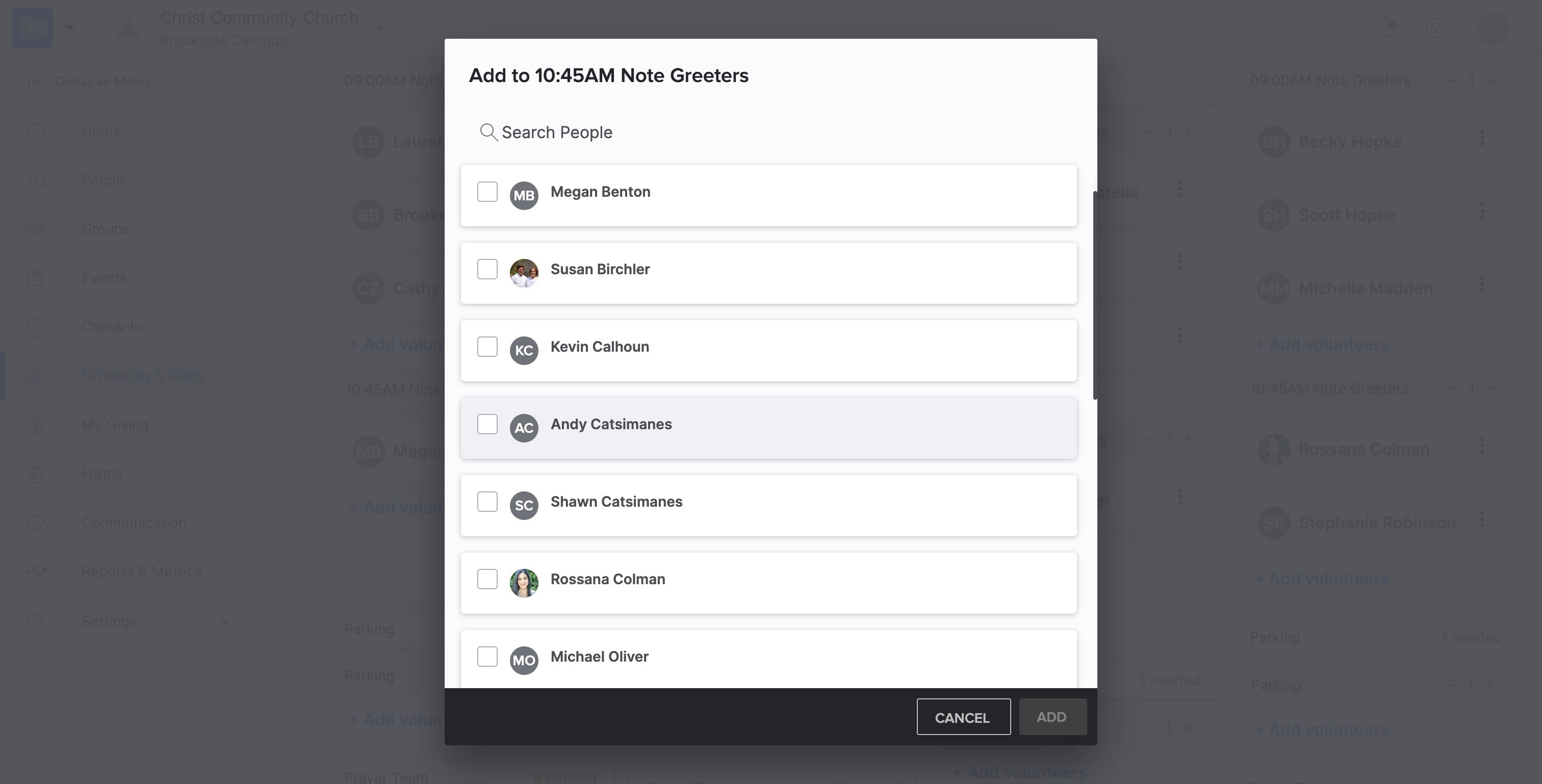
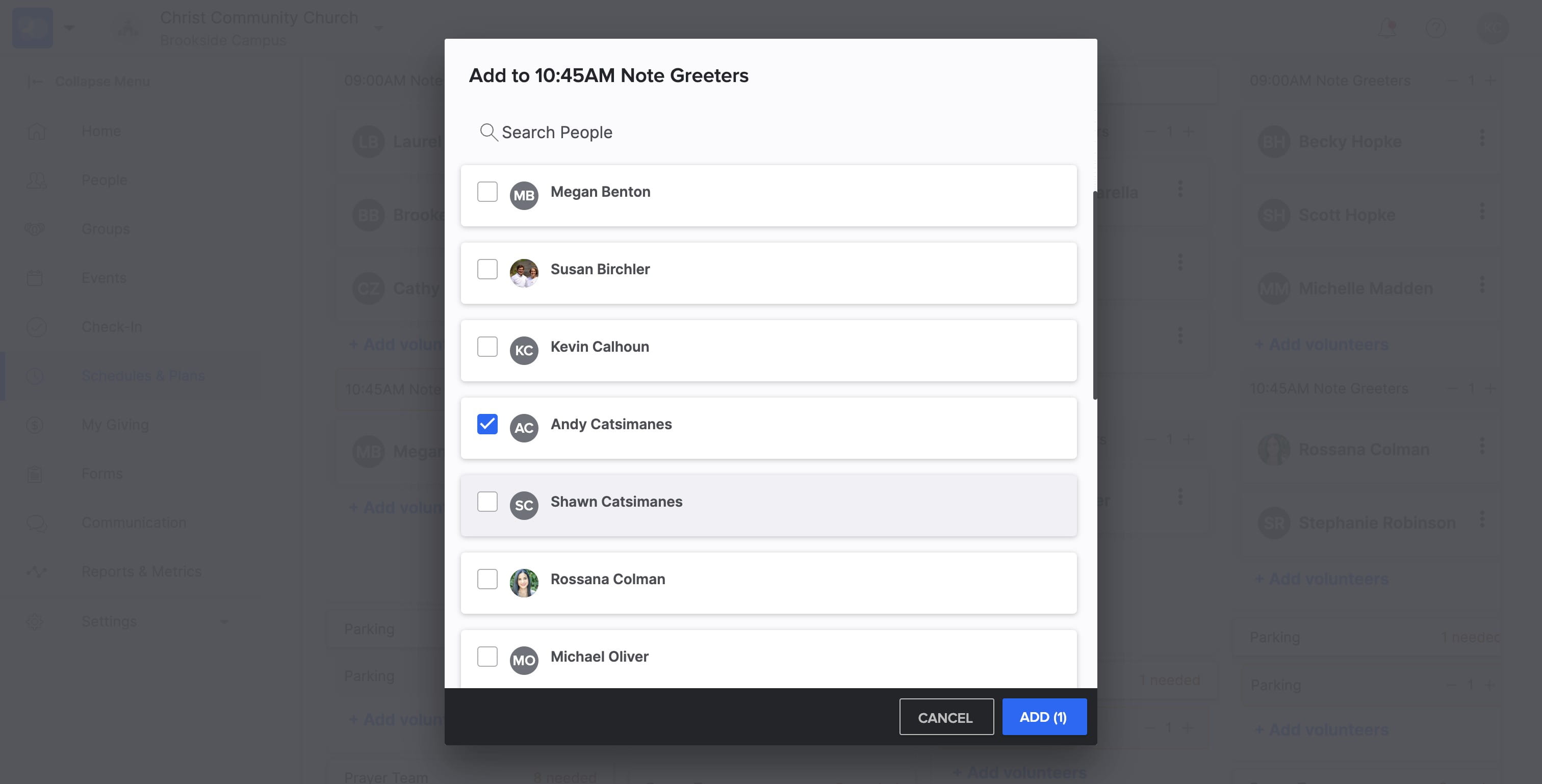
SELECT volunteer names to add them to the serve rotation
13
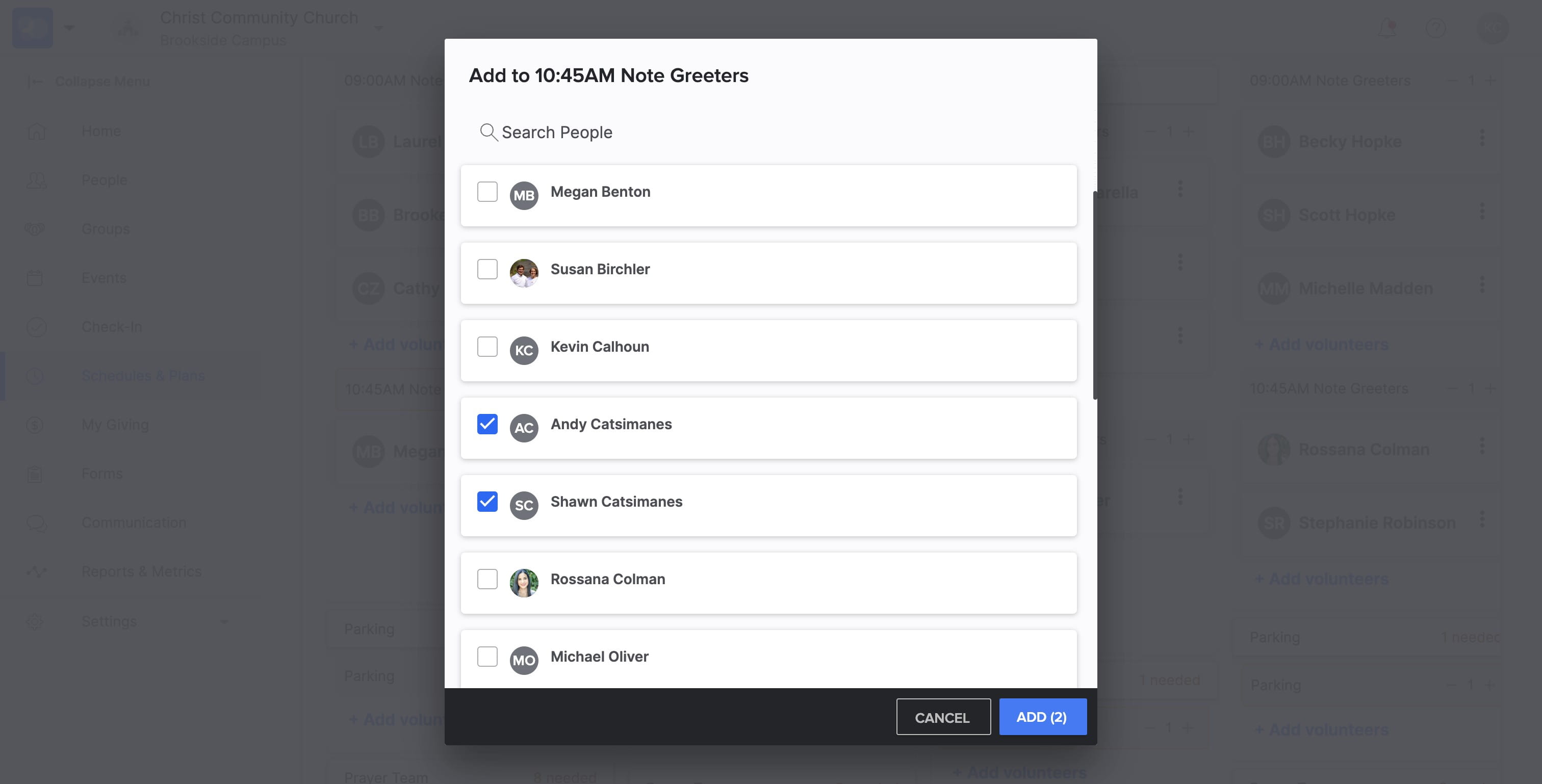
You can SELECT more than one person at a time to add them to the serve rotation
14
SELECT "ADD" to finish adding serve team members
15
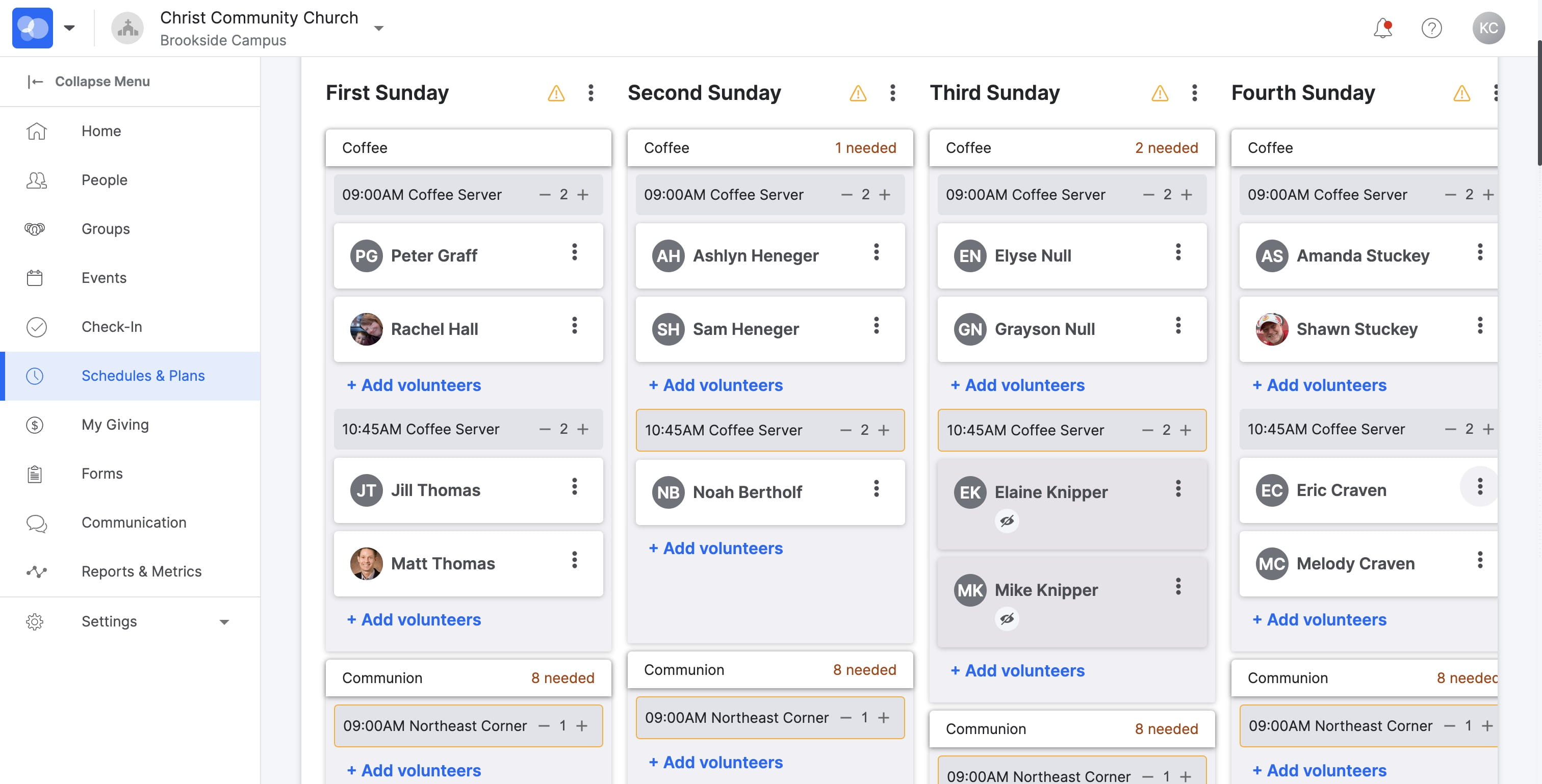
To REMOVE someone from Serve Rotation Schedule, SELECT the three dots next to their name
16
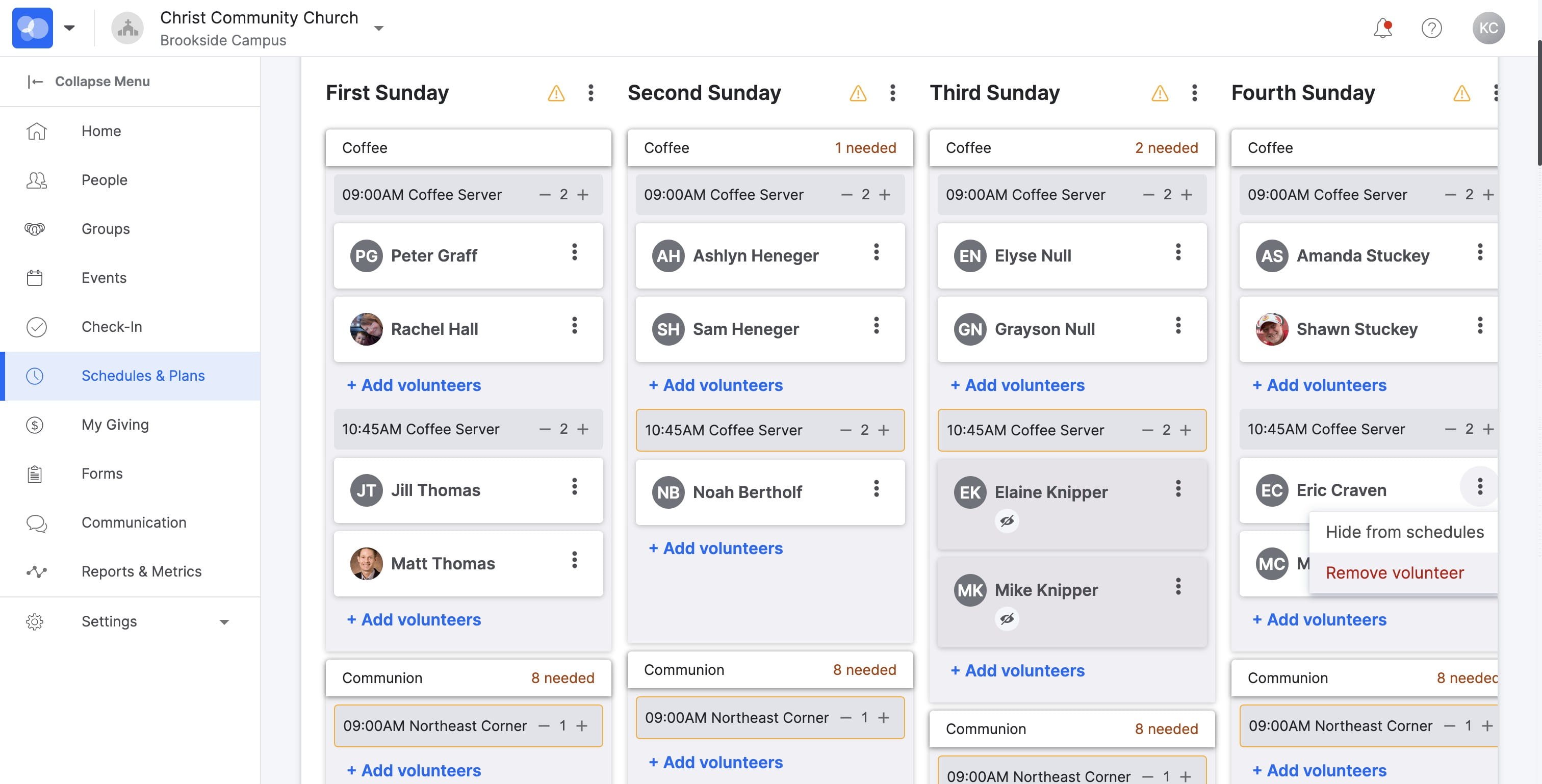
SELECT "Remove volunteer"
17
HOORAY! You're Done 🚀