HOW TO: Set Your Notifications in ClickUP to receive emails (or not!)
Apr 23, 2024●
1
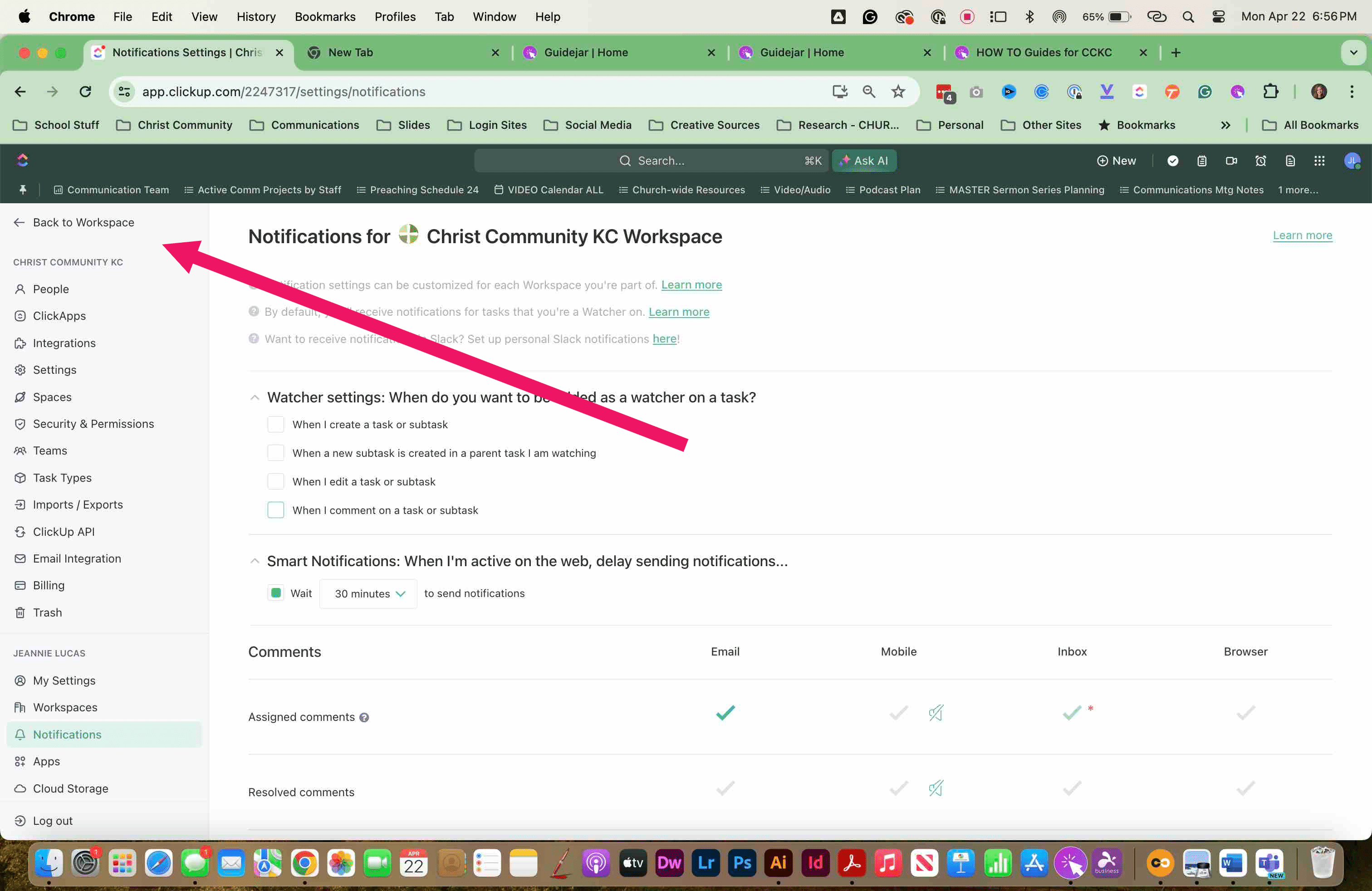
Navigate to ClickUp on your computer and CLICK on YOUR PROFILE in the upper right of the window
2
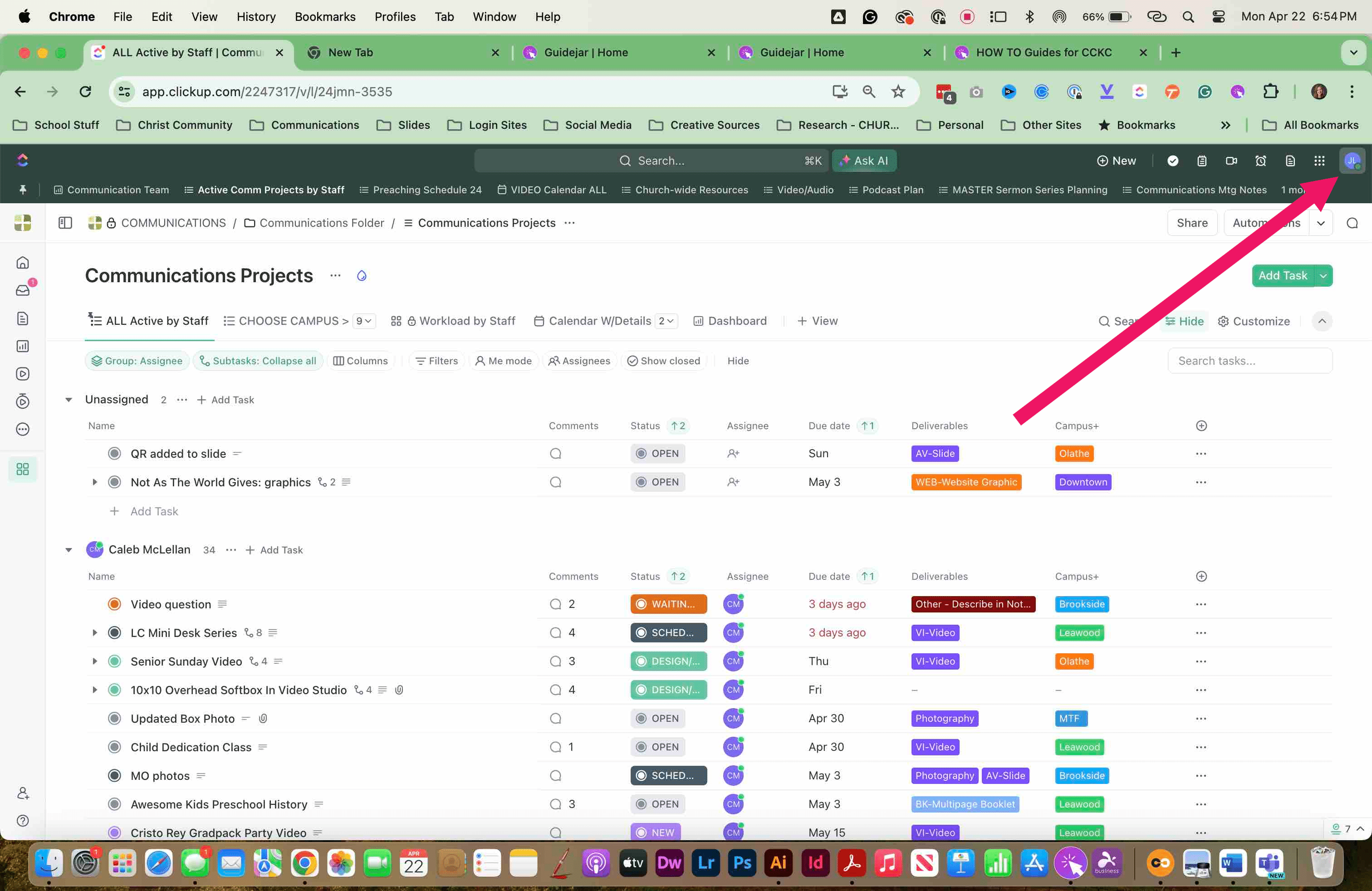
Scroll down and SELECT "NOTIFICATION SETTINGS"
3
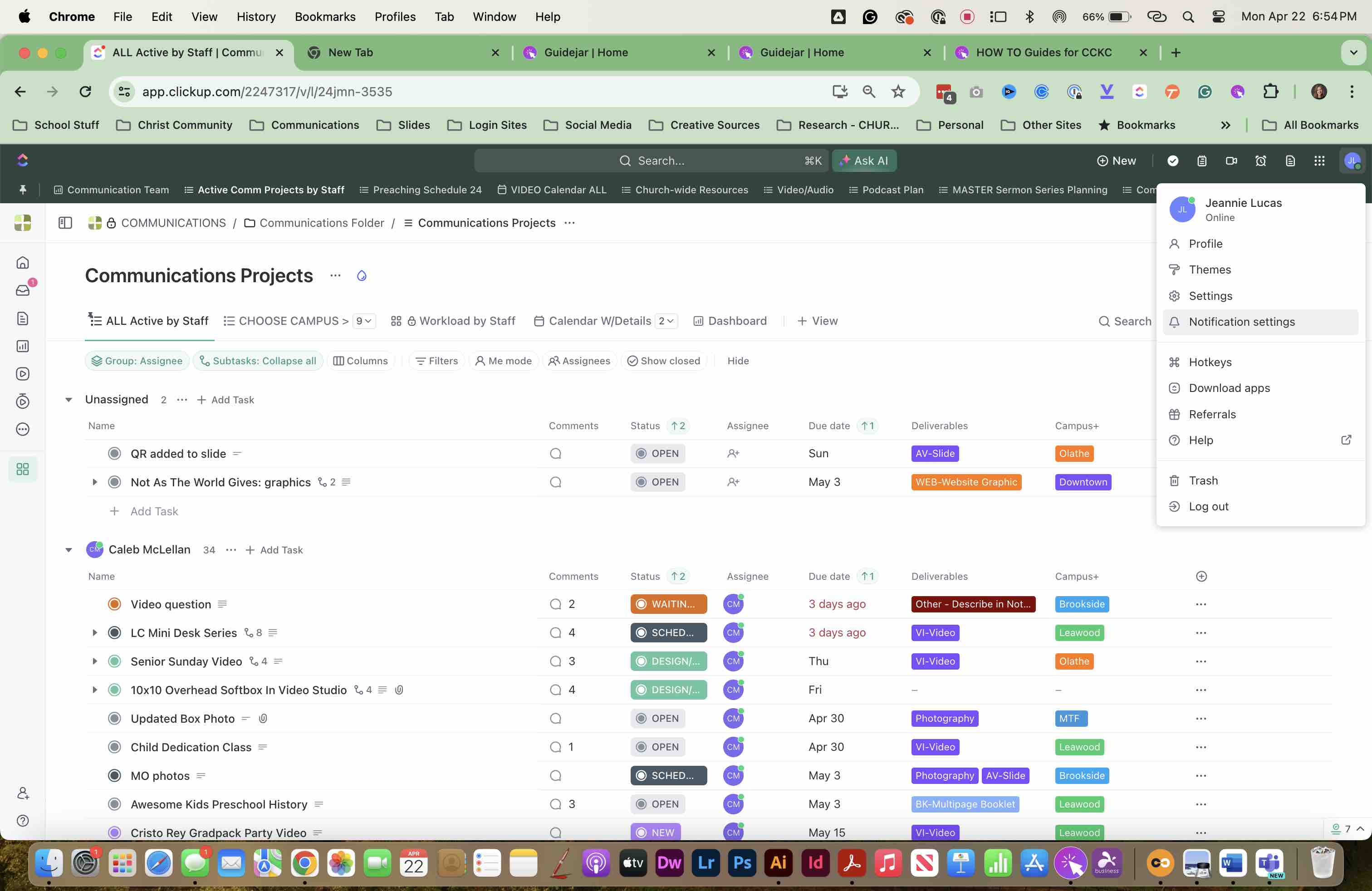
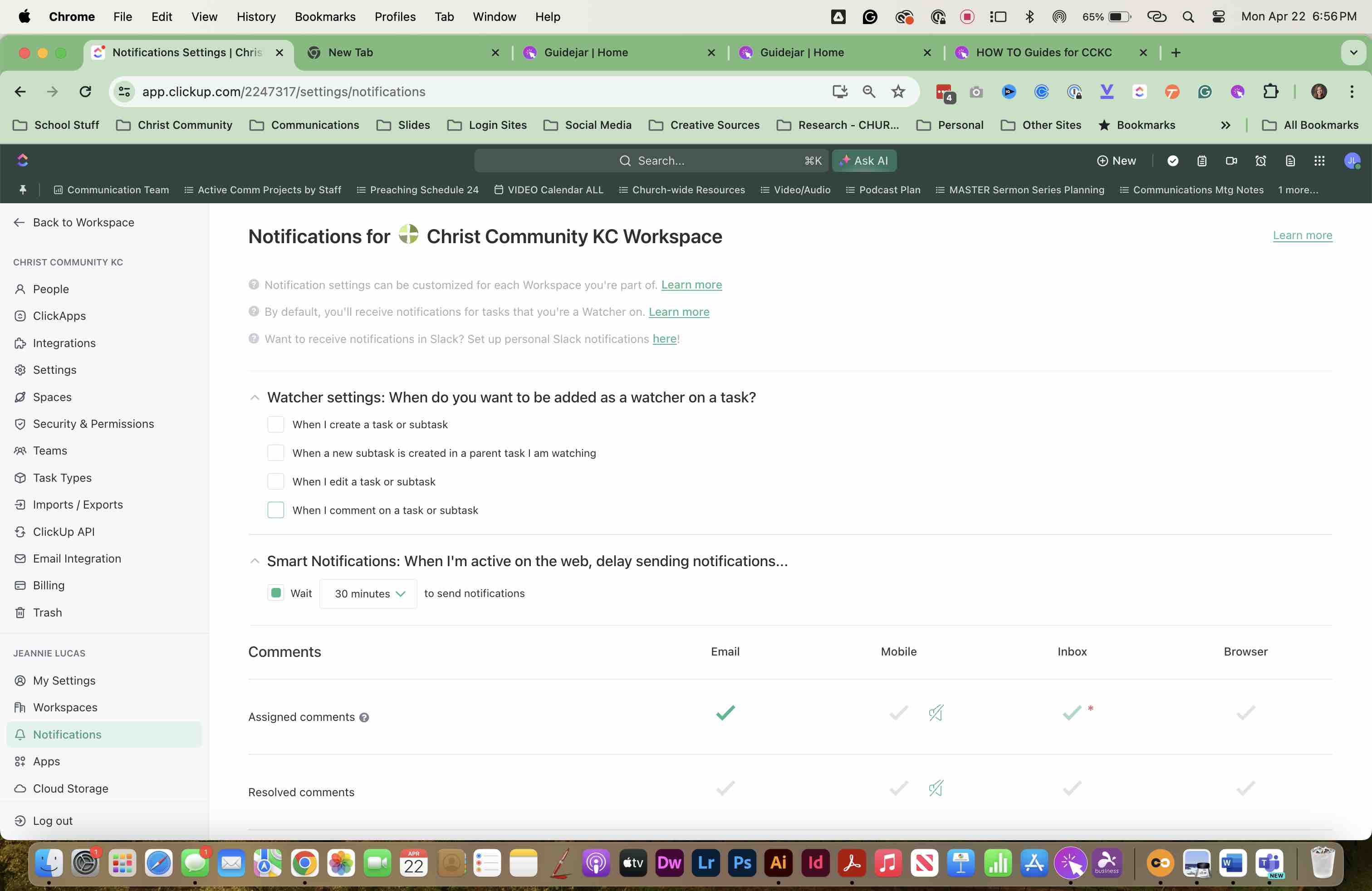
The NOTIFICATIONS window will open, or you can click on NOTIFICATIONS under your name on the left menu
4
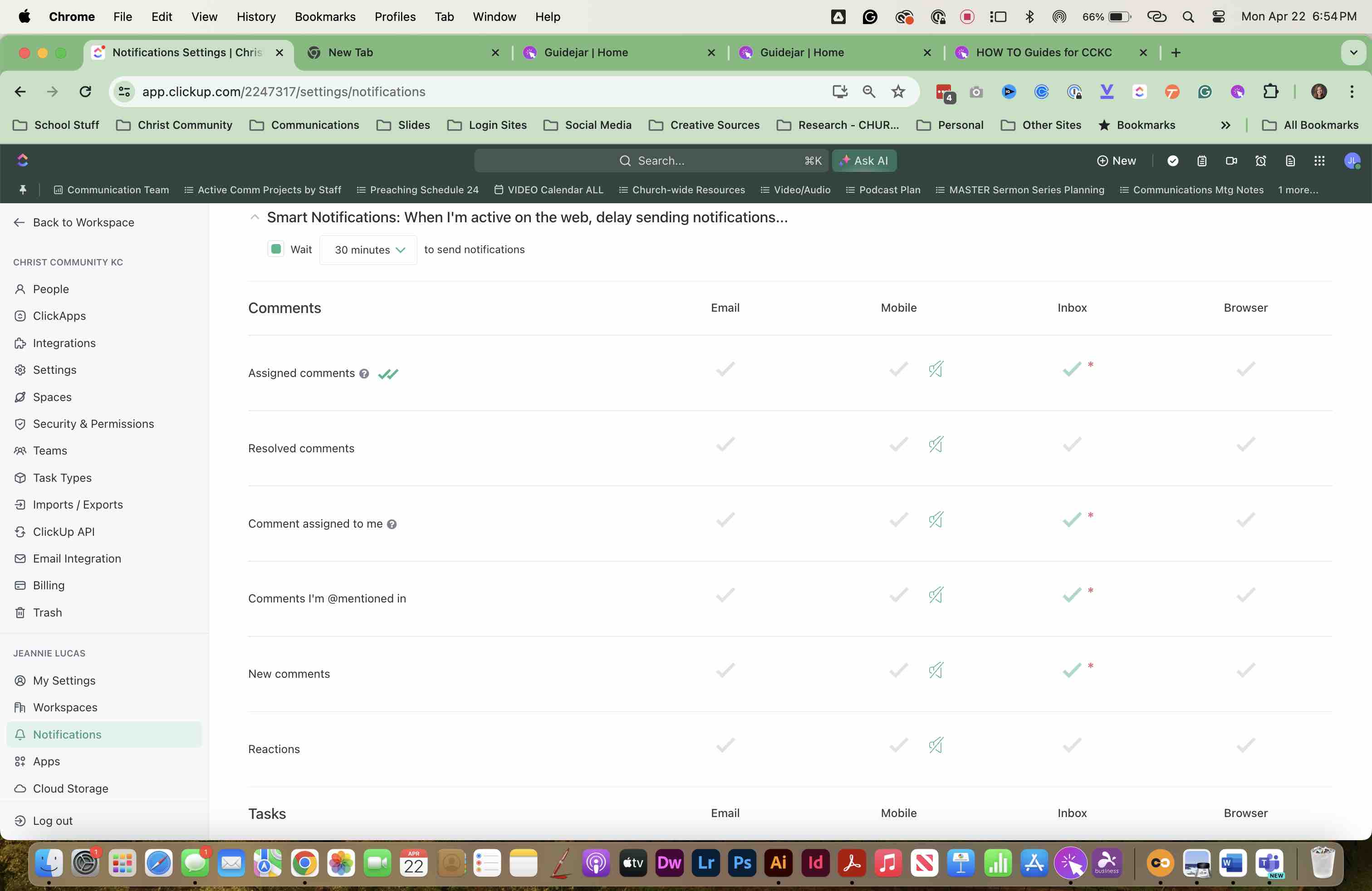
SCROLL in the window to SELECT which notifications you would like to receive. By default, you ARE SET TO RECEIVE email notifications, but you can change the setting here.
5
Click here
6
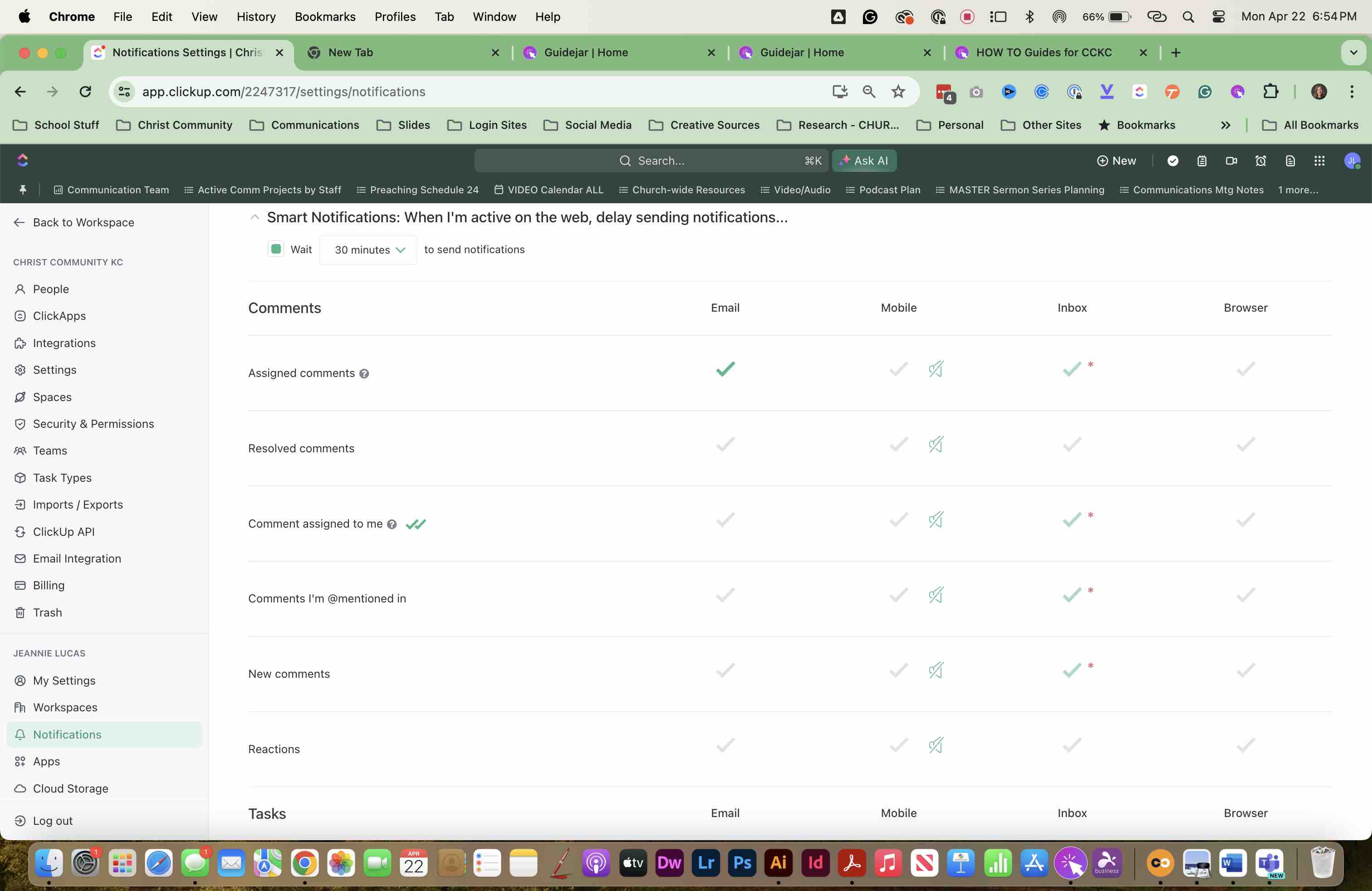
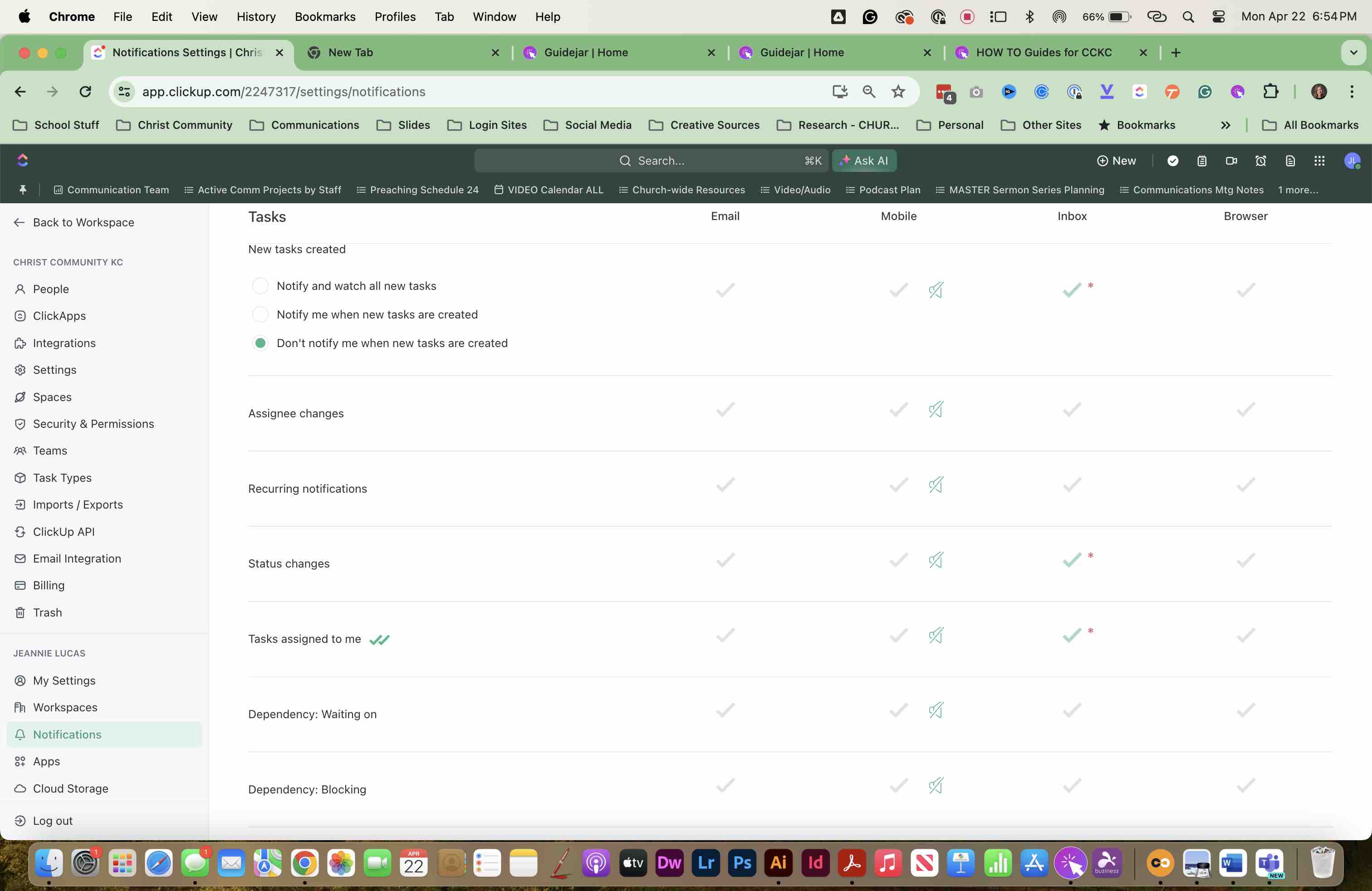
Continue to SCROLL to see all options. SELECT appropriate options.
7
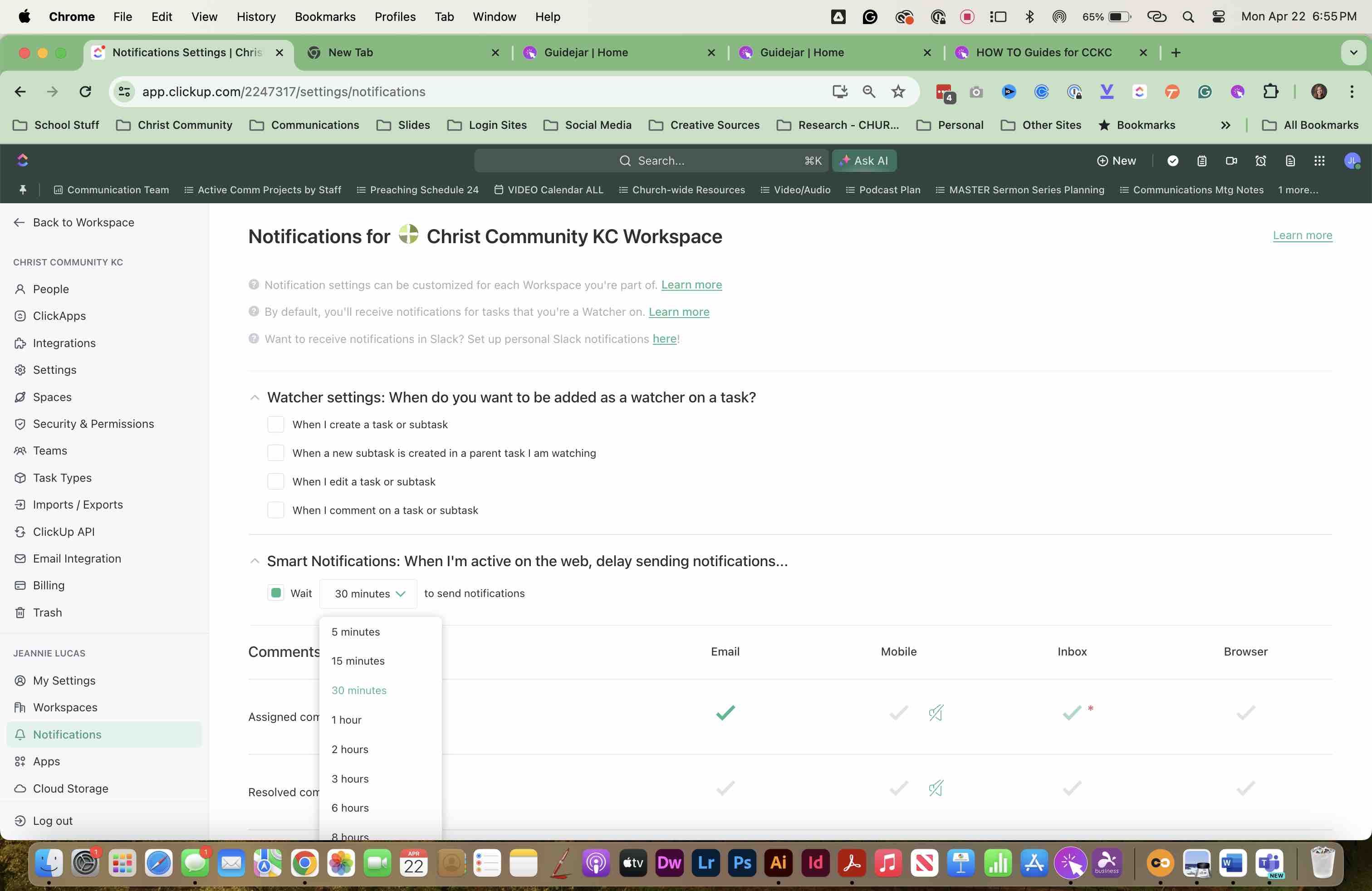
SET SMART NOTIFICATIONS and select a TIME as appropriate. If you are active in ClickUp, or change comments frequently, increase the timeframe.
8
SET WATCHER settings here as well.
9
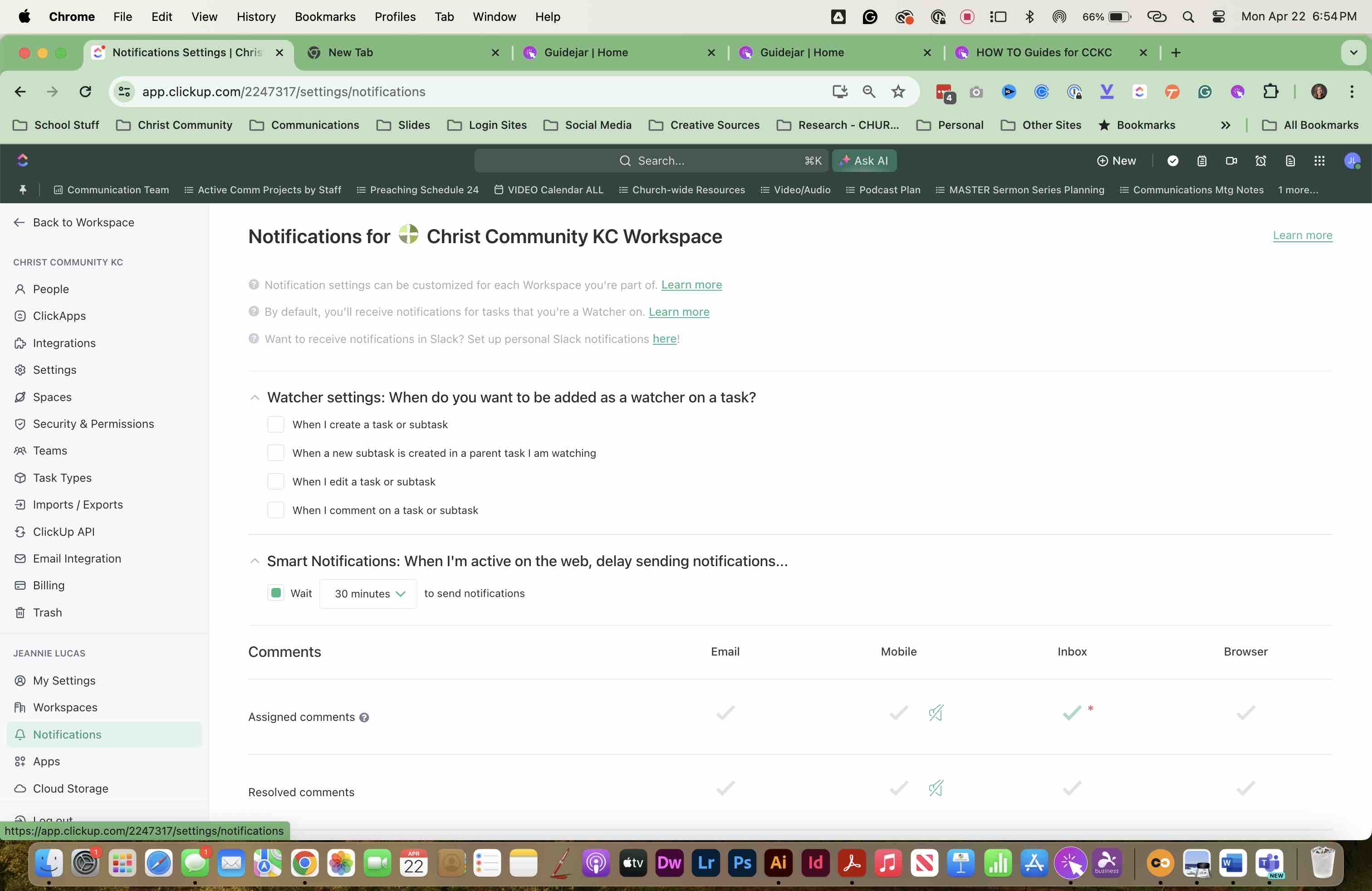
RETURN to your WORKSPACE when finished setting up your NOTIFICATIONS.