Getting Started Scheduling Volunteers
May 16, 2024●
1
Navigate to https://ccefc.ccbchurch.com/index.php
2
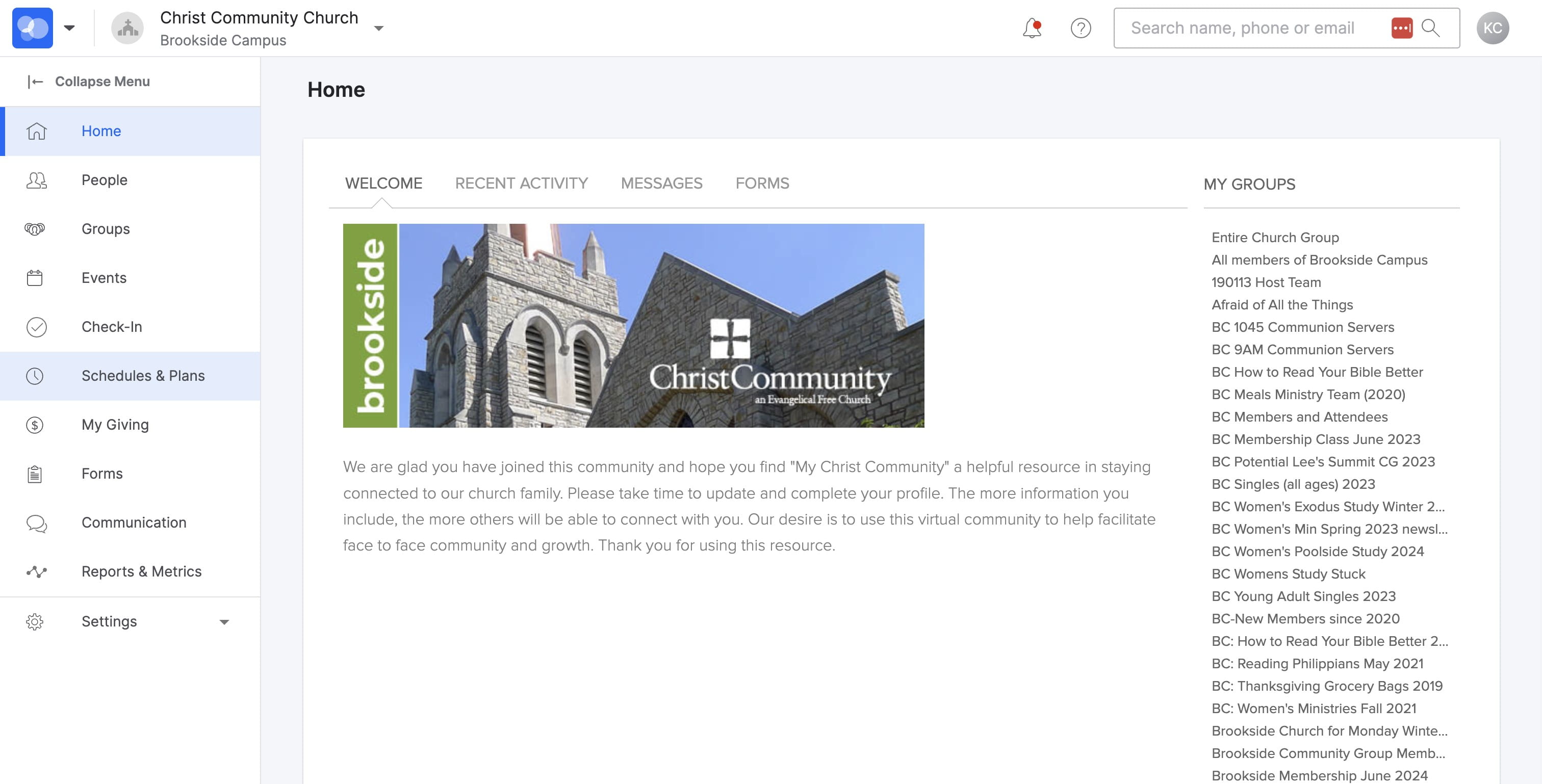
SELECT "Schedules & Plans" from the left menu
3
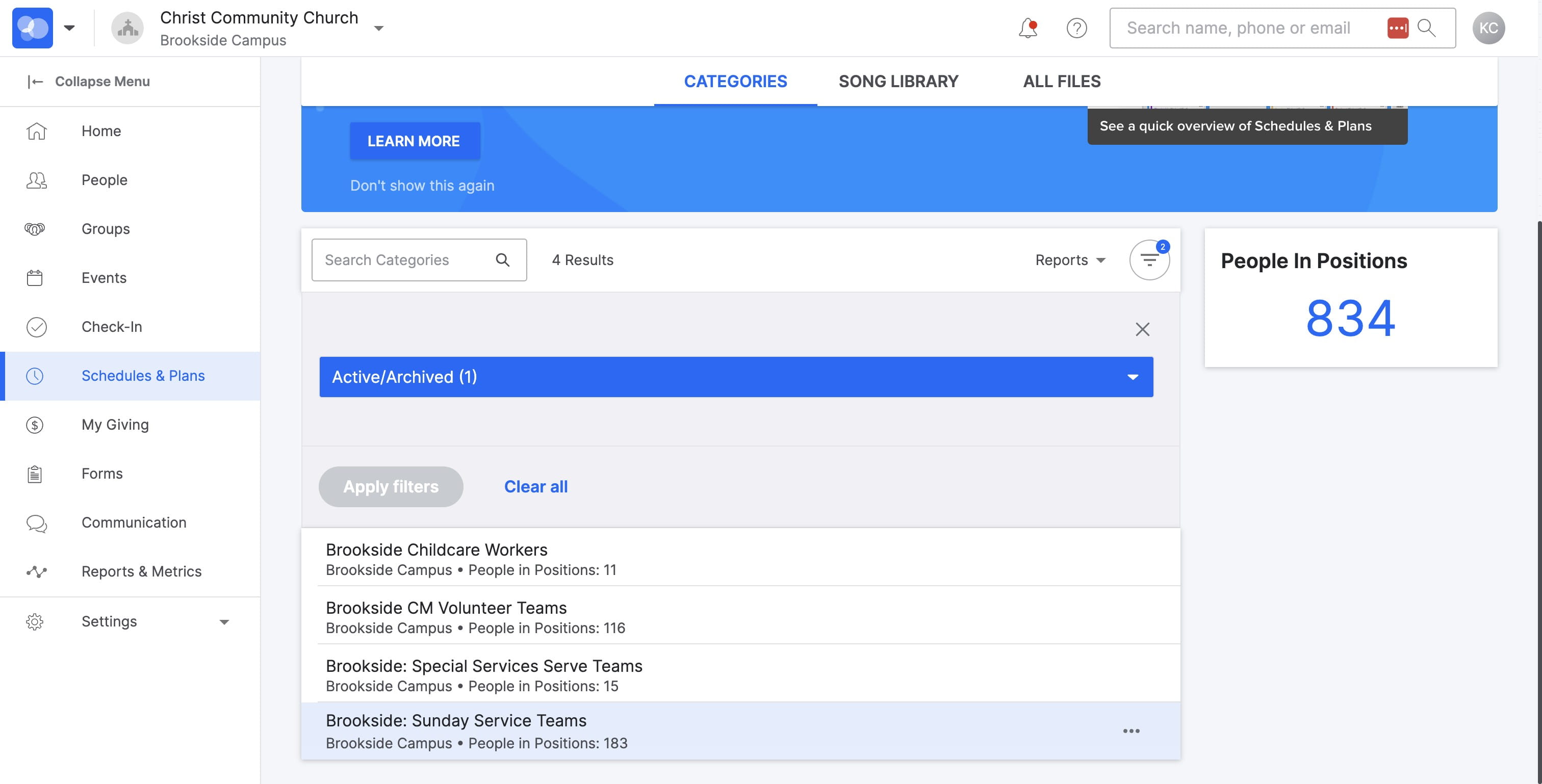
SELECT "Brookside: Sunday Service Teams"
4
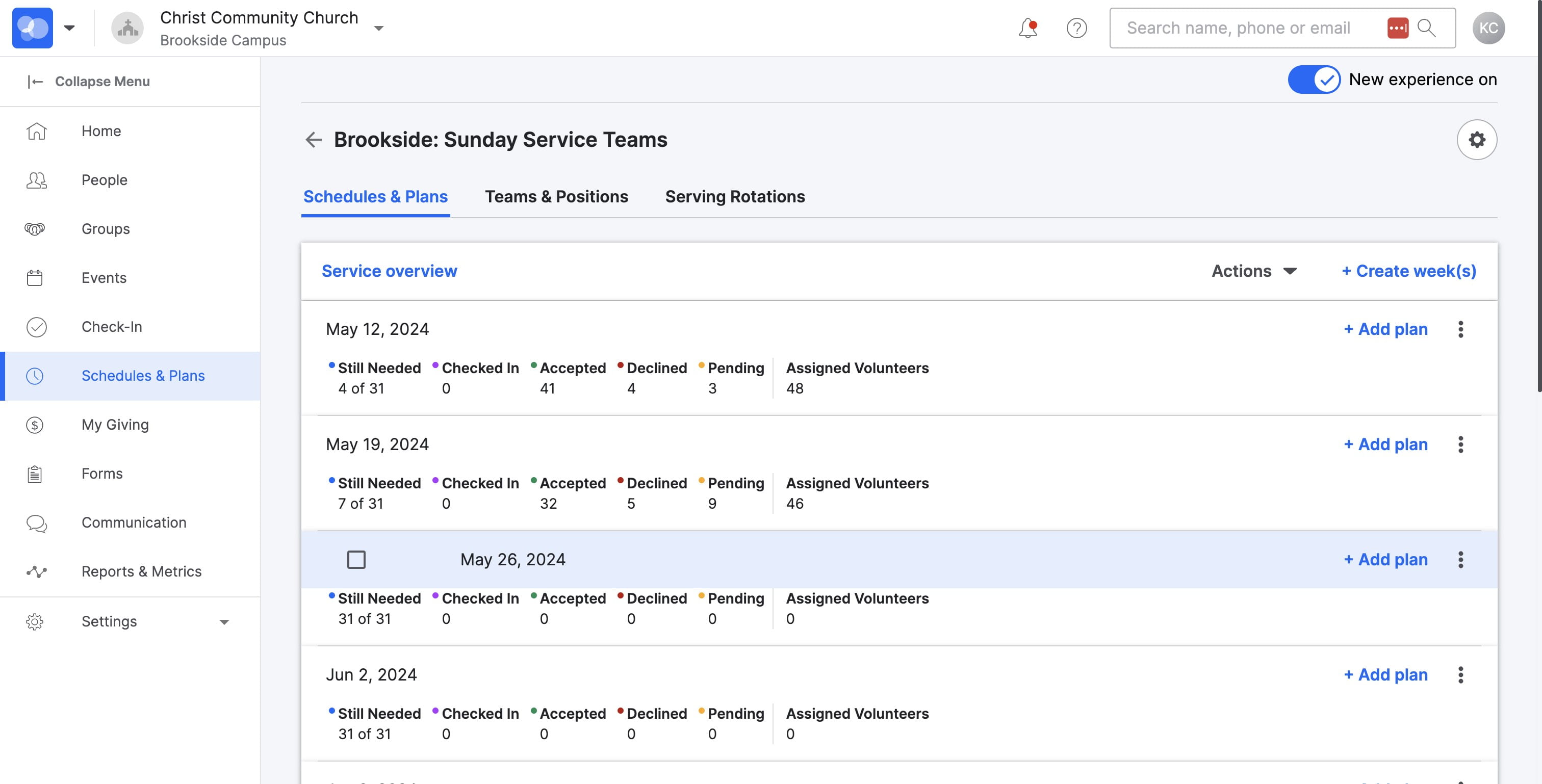
SELECT the date for scheduling
5
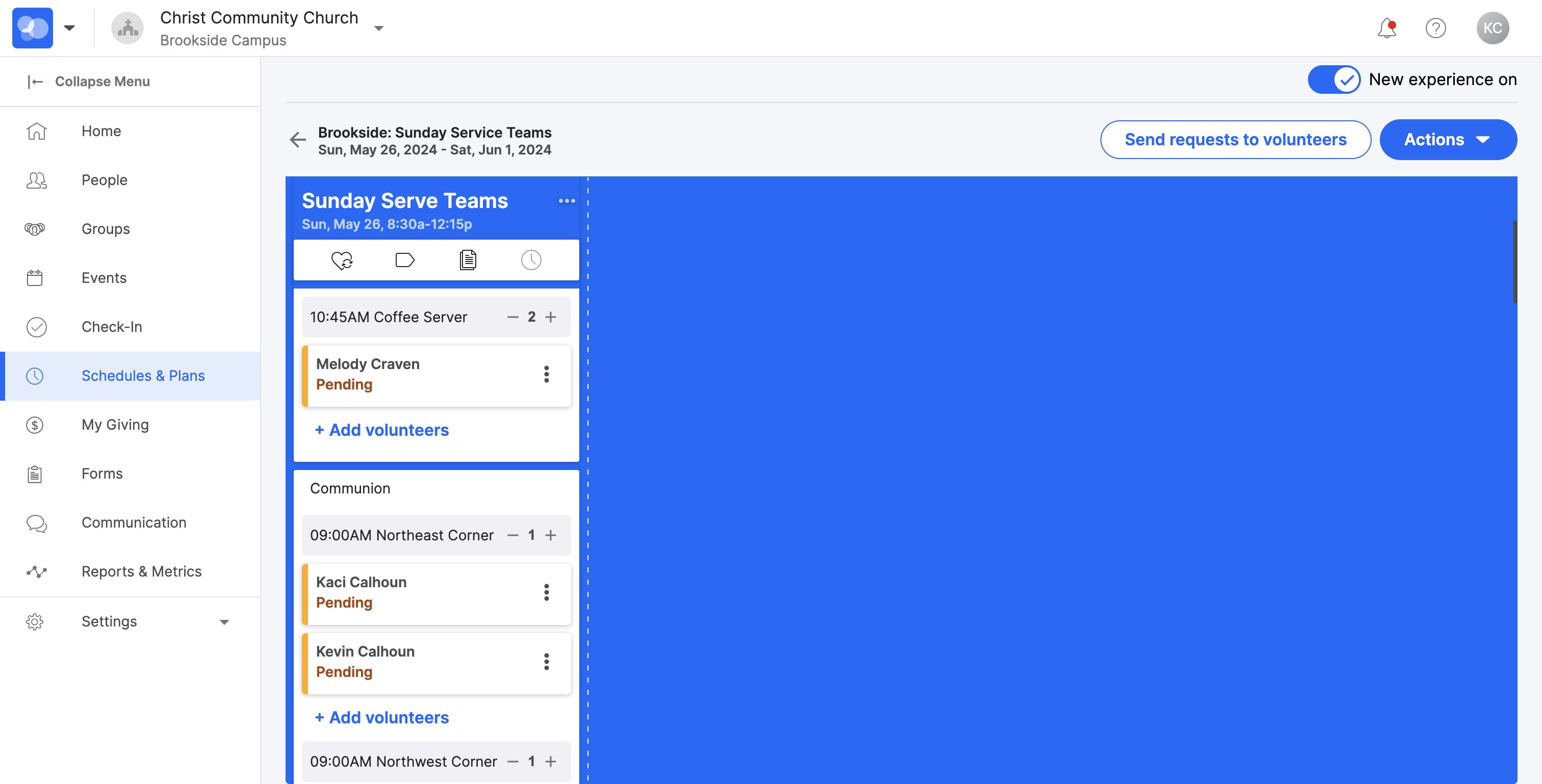
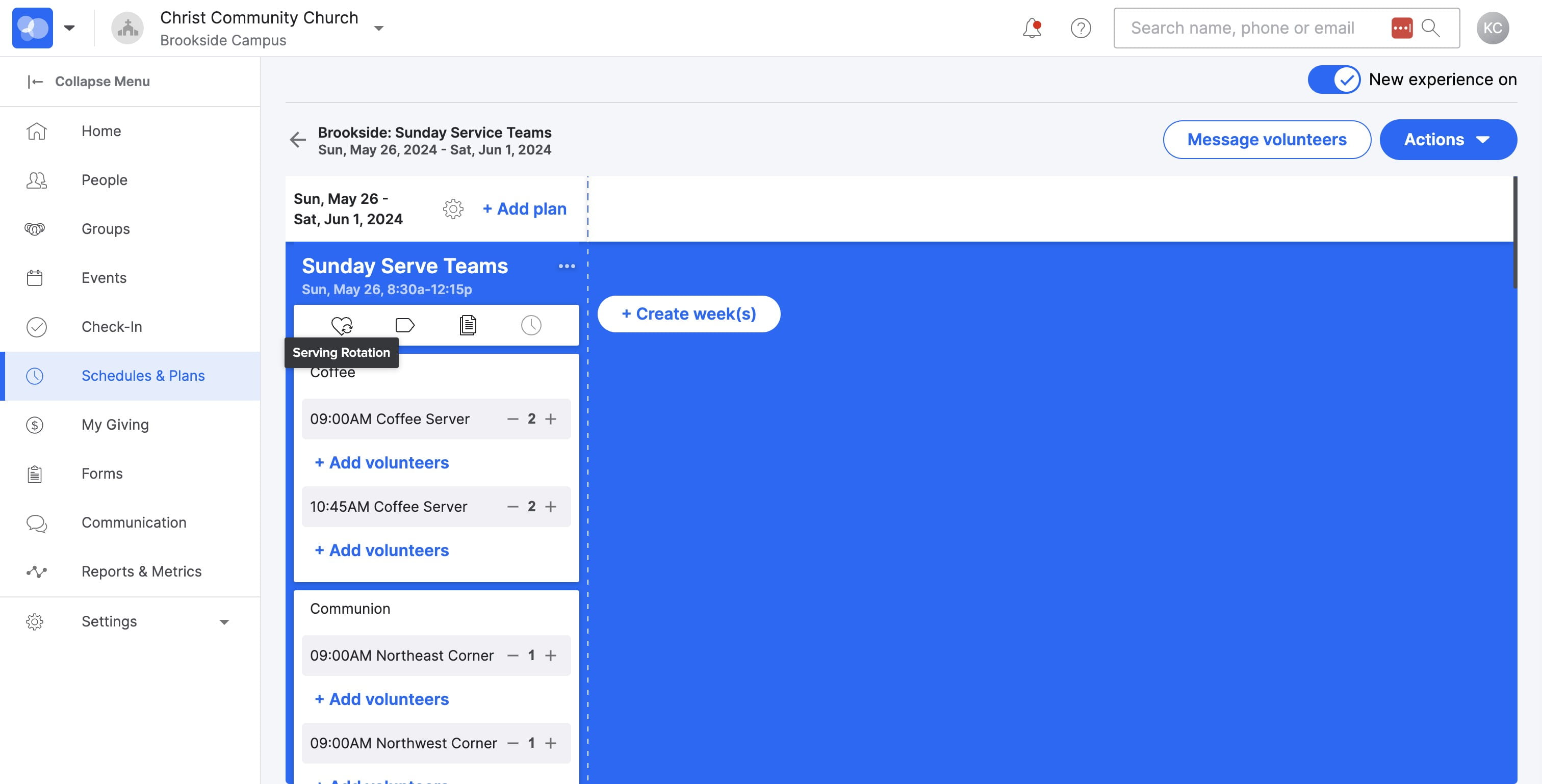
SELECT the HEART icon if you have a monthly scheduled rotation
6
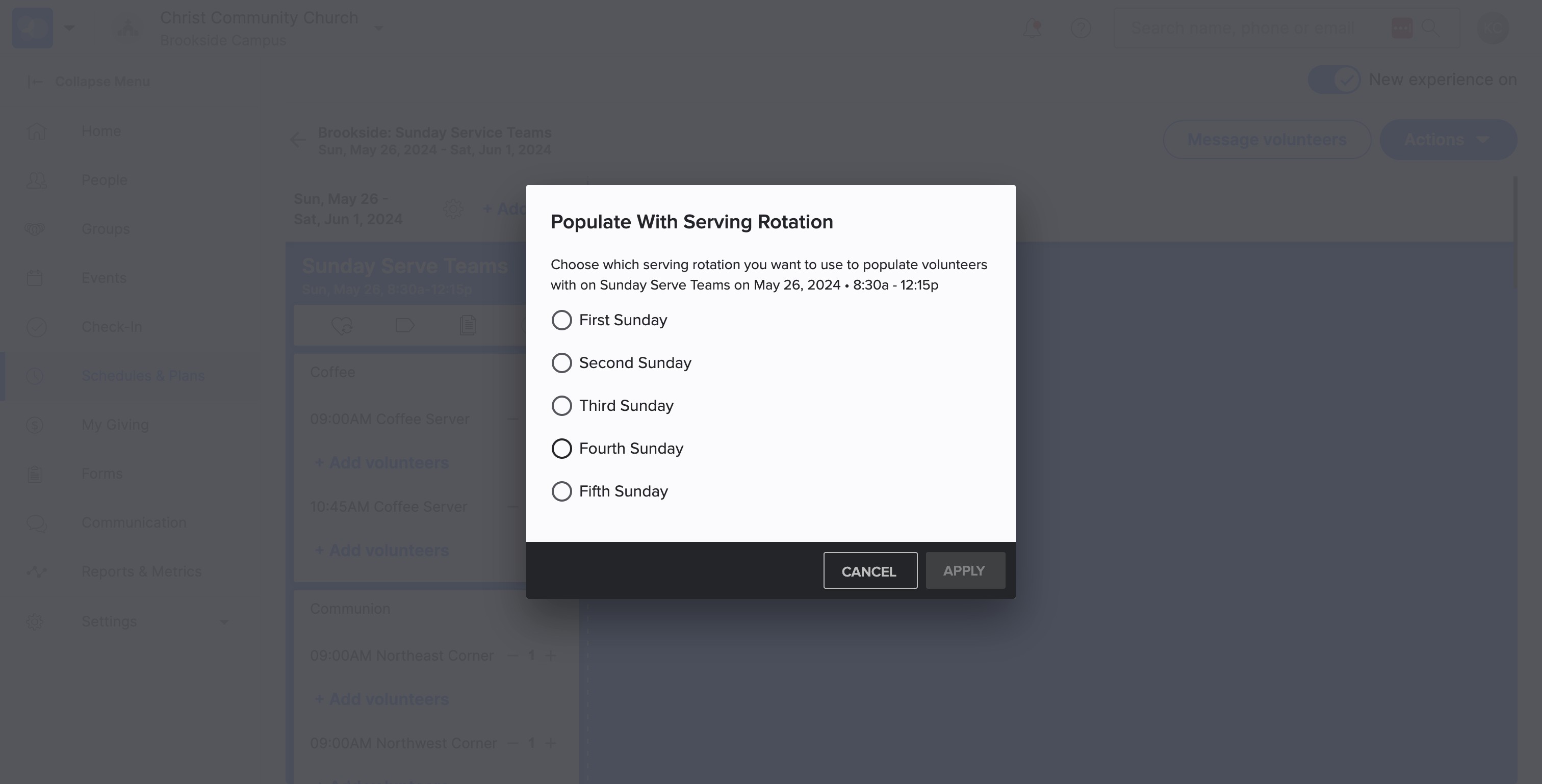
SELECT the appropriate Sunday
7
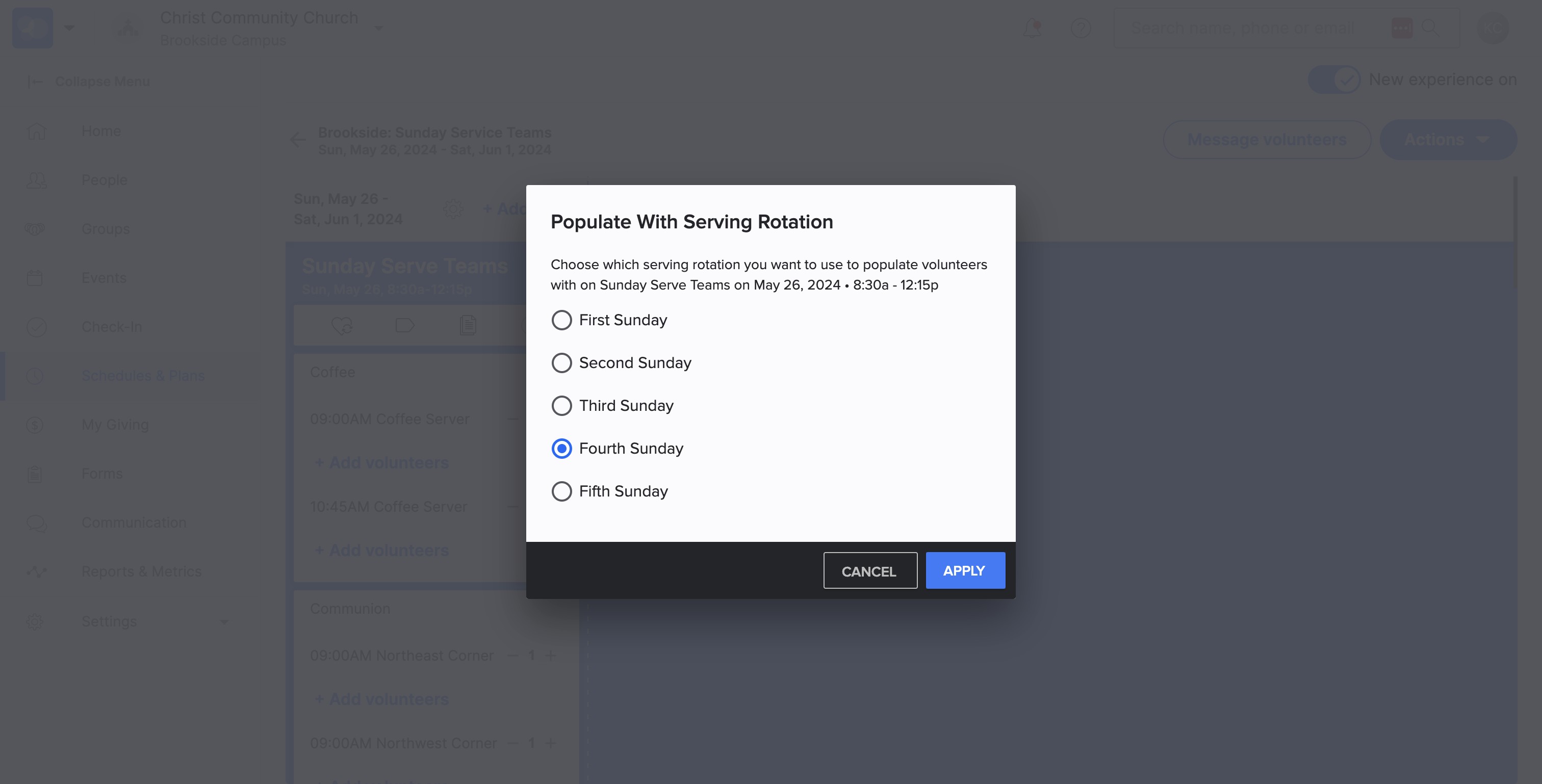
SELECT "Apply"
8
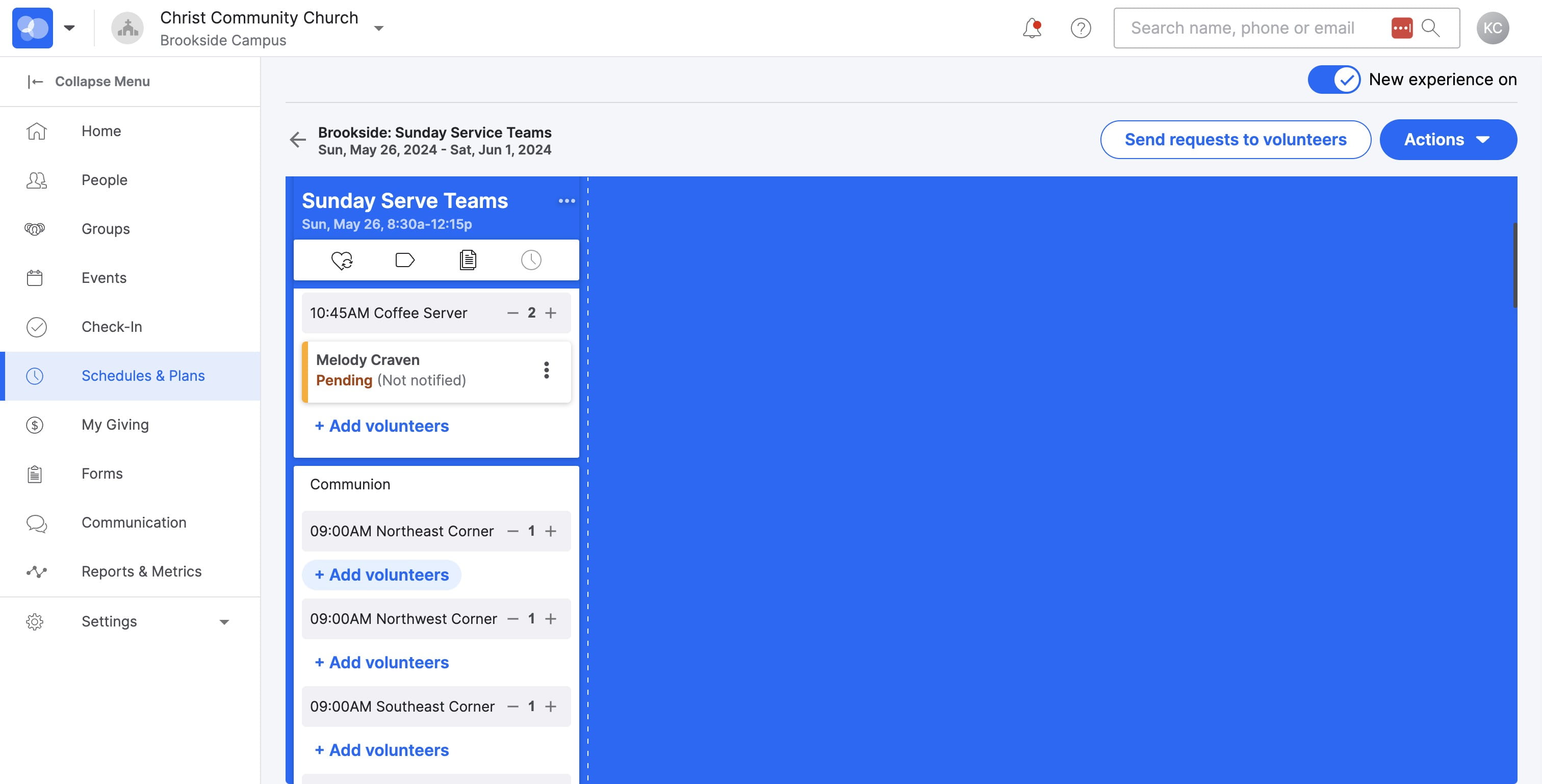
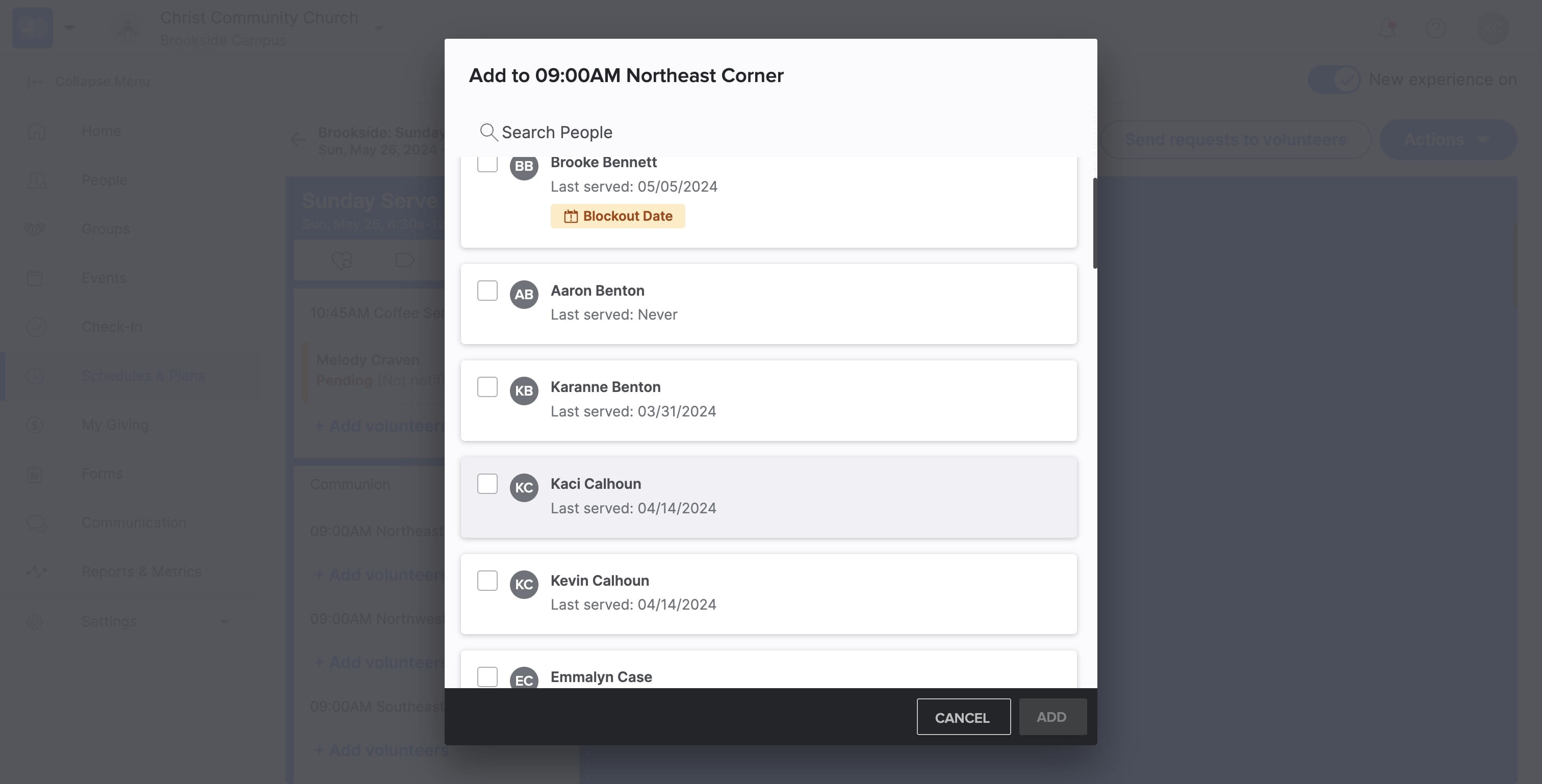
If you DON'T have a regular monthly serving rotation, SELECT "+ Add volunteers"
9
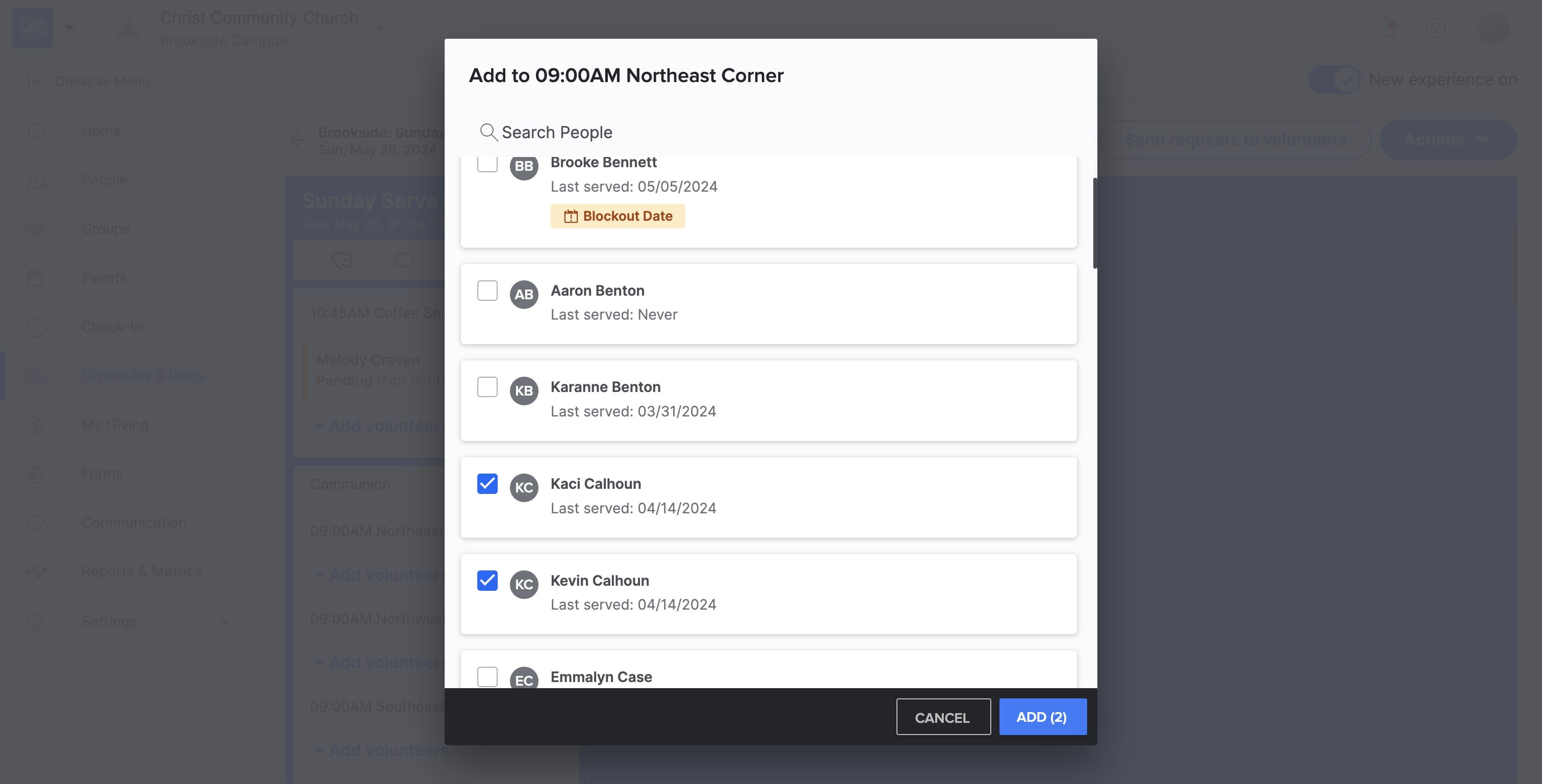
SELECT volunteer name
10
SELECT "ADD" to add the volunteers to the serve schedule
11
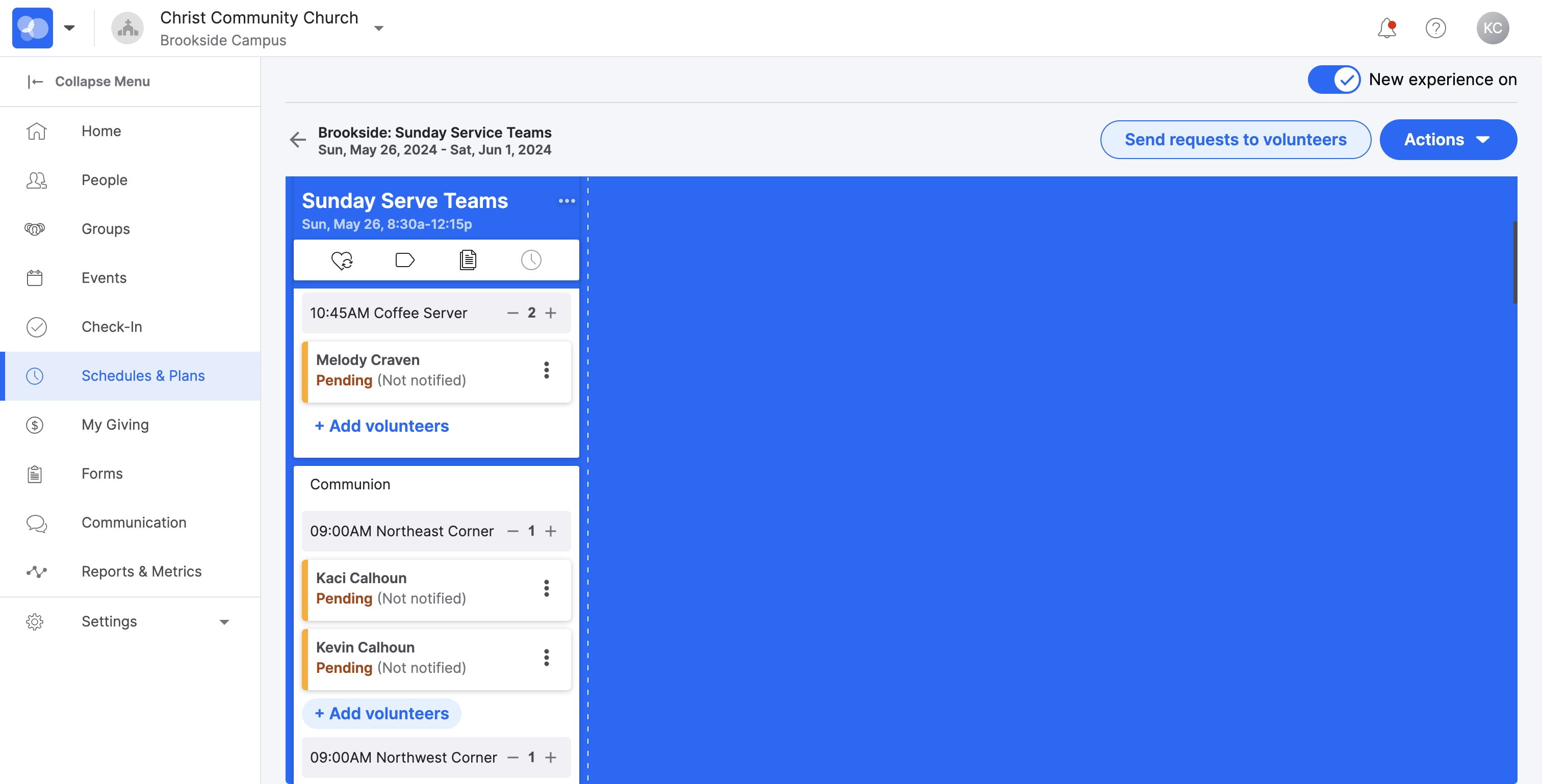
Once volunteers are scheduled, SELECT "Send requests to volunteers"
This will send volunteers a text and/or email invitation
12
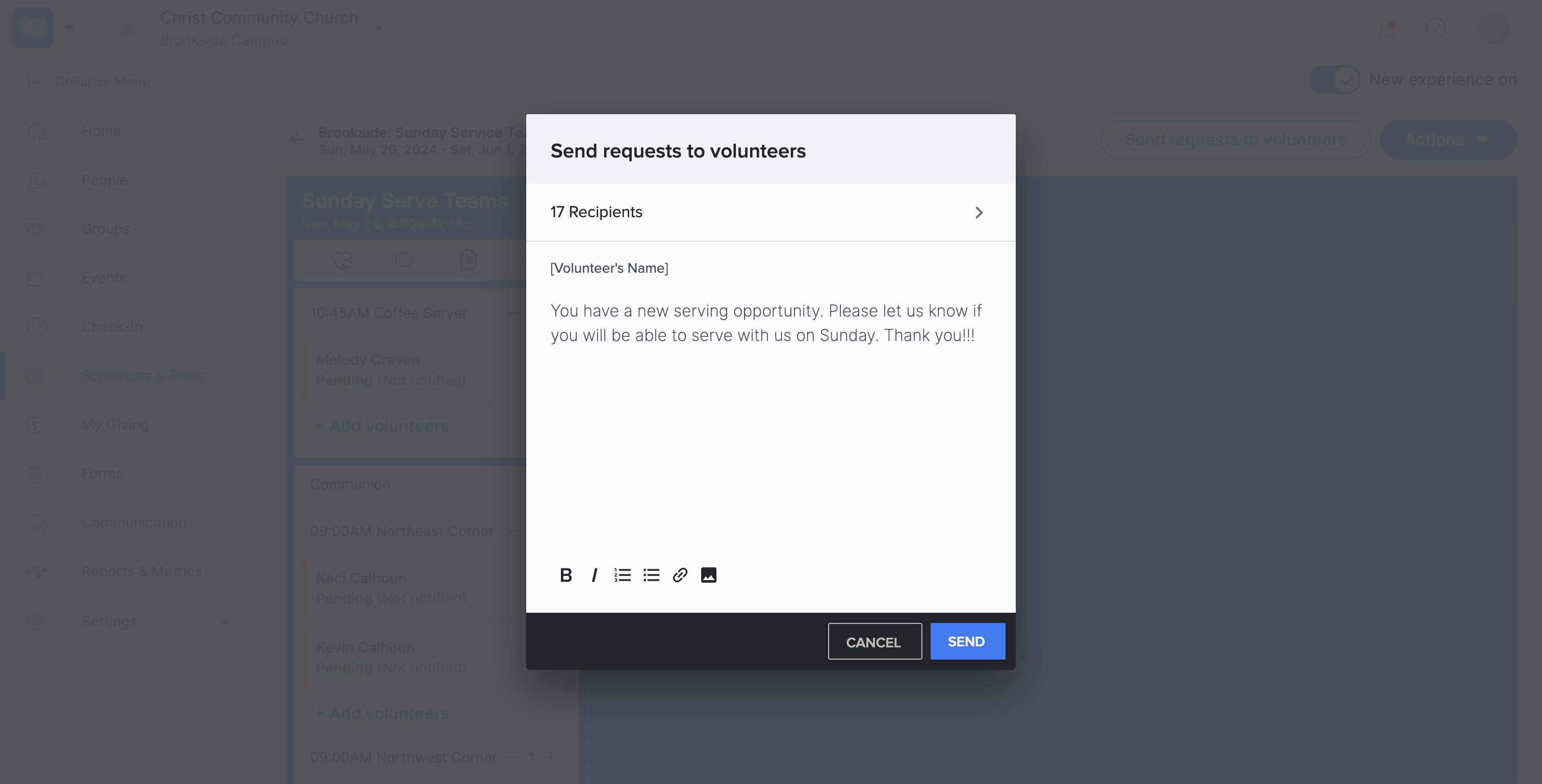
SELECT "Send" to send invitations!
13
You are Done 🚀 And awaiting volunteers to accept or decline your invitations. Please return here to check for acceptance of volunteer positions.