HOW TO: Create YOUR Favorites Menu in ClickUp
Apr 22, 2024●
1
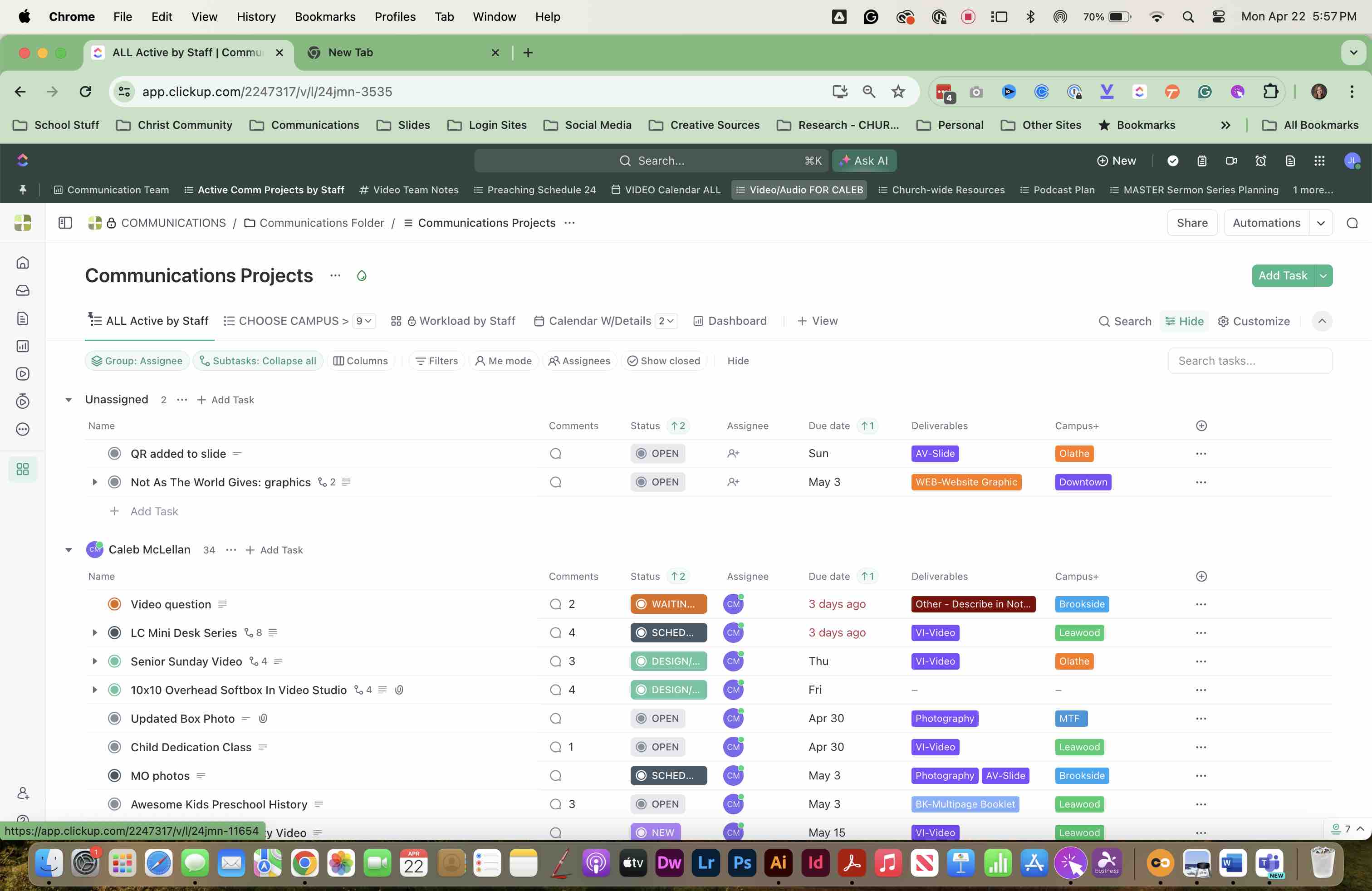
Navigate to ClickUp on your computer
2
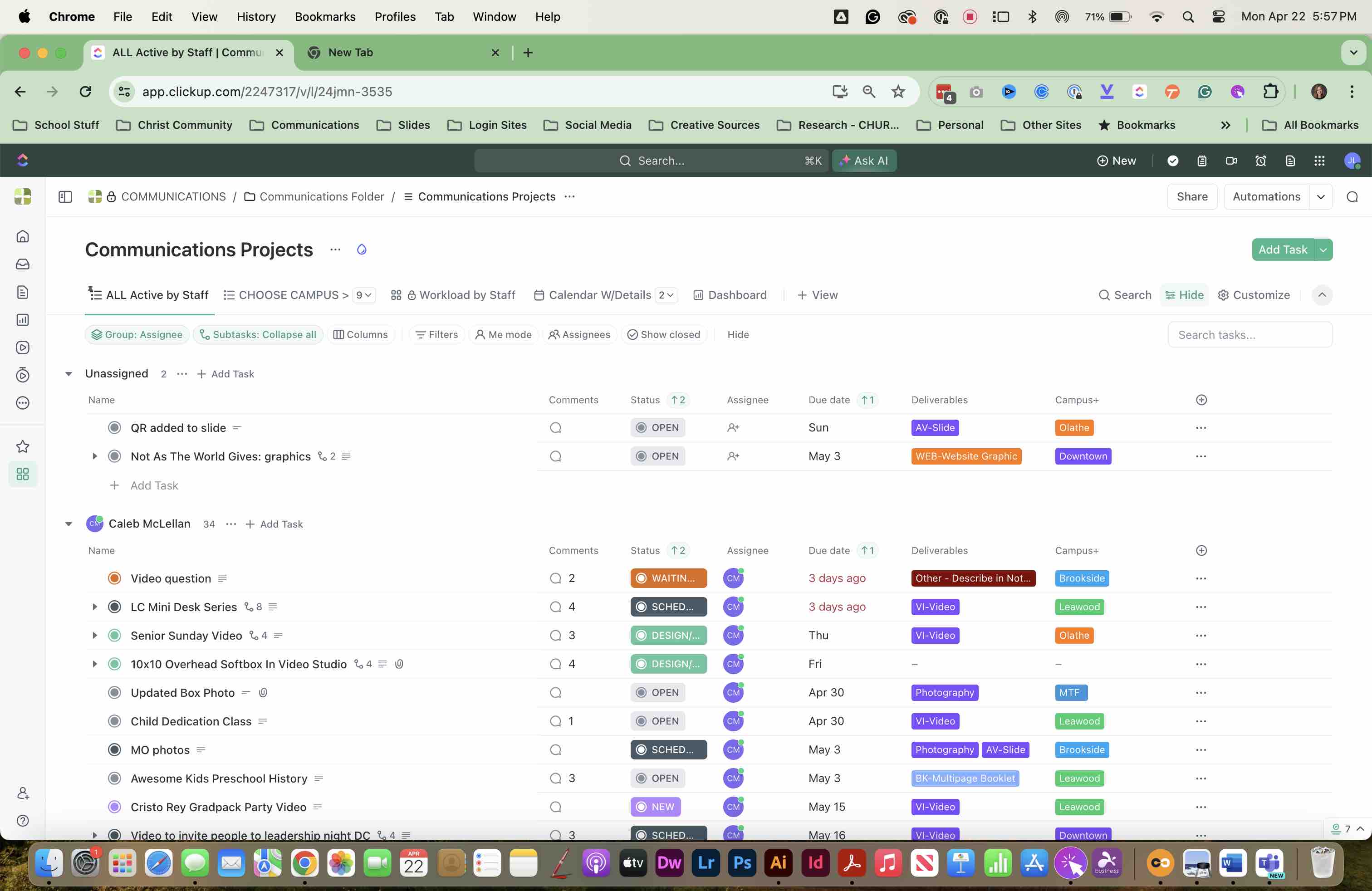
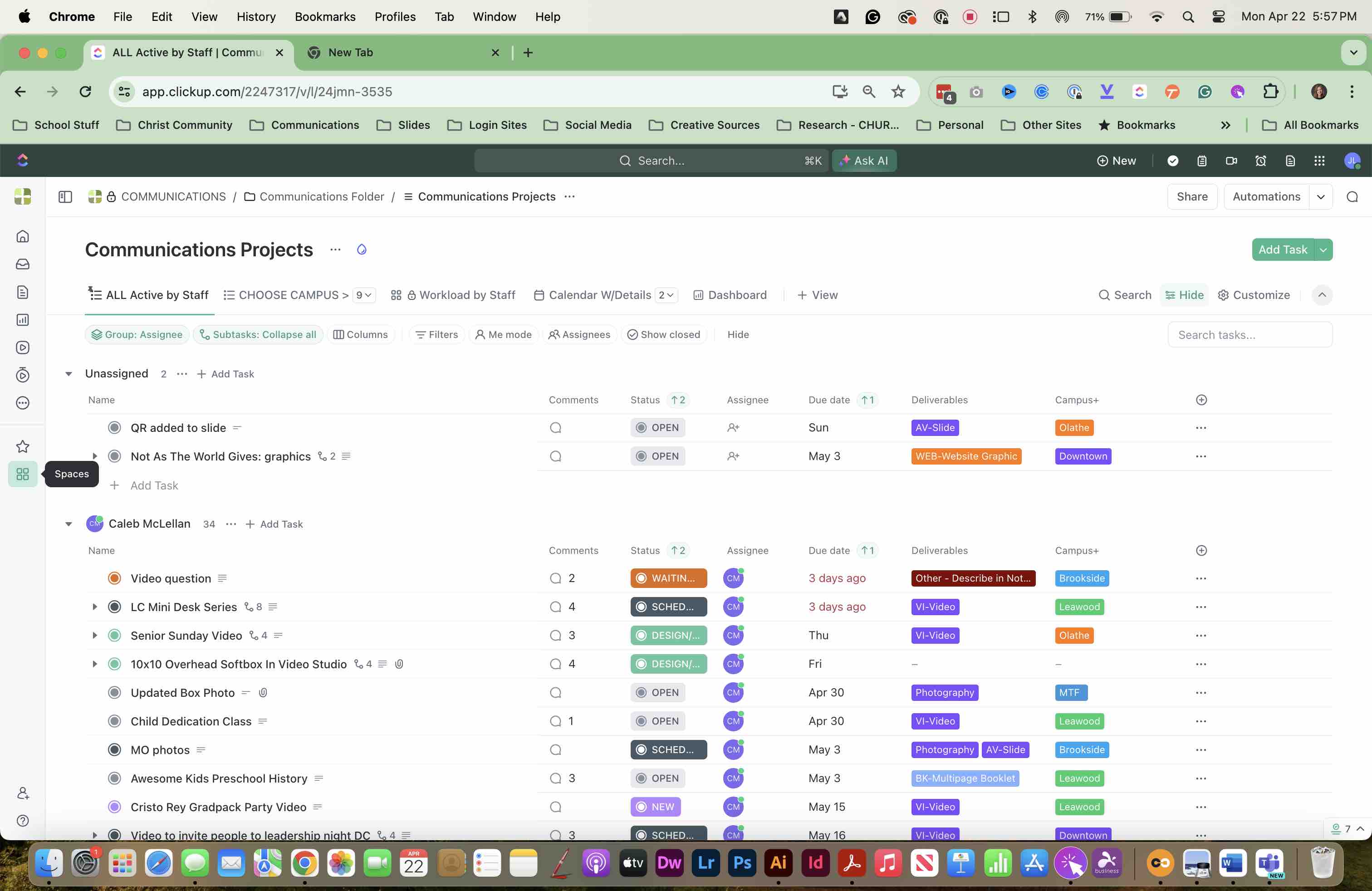
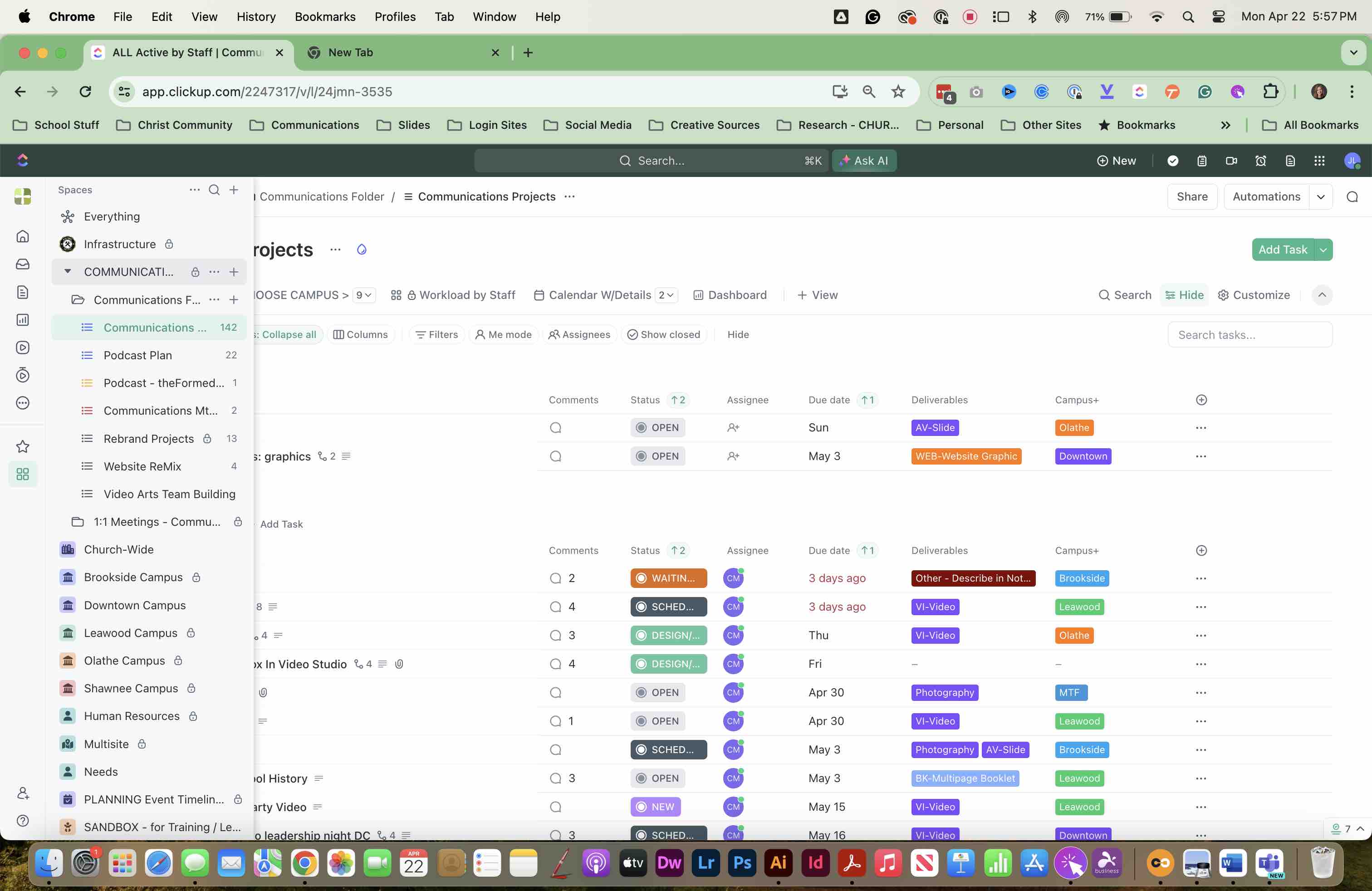
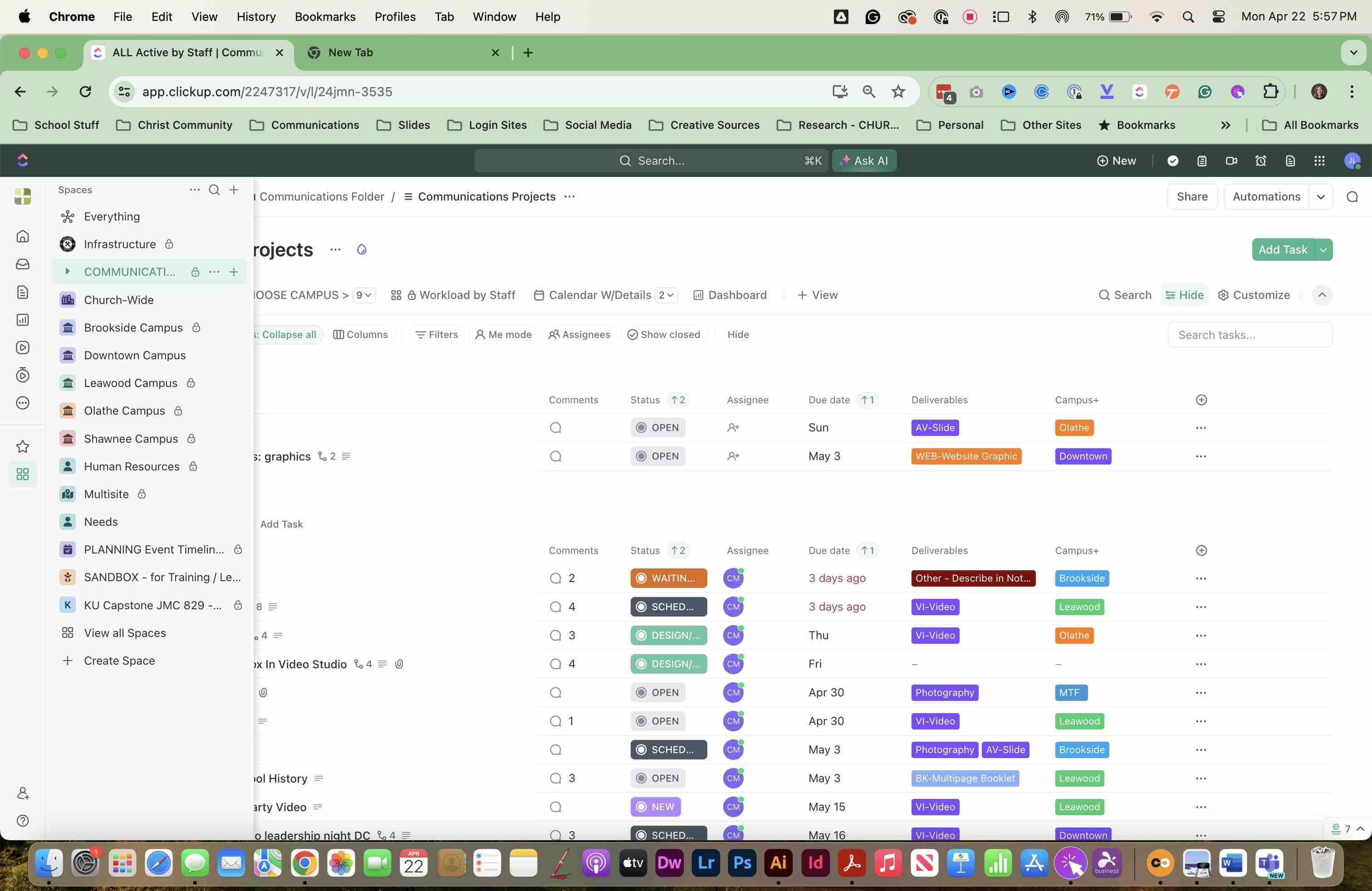
OPEN SPACES to choose a LIST to add to your FAVORITES MENU
3
Click here
4
Click here
5
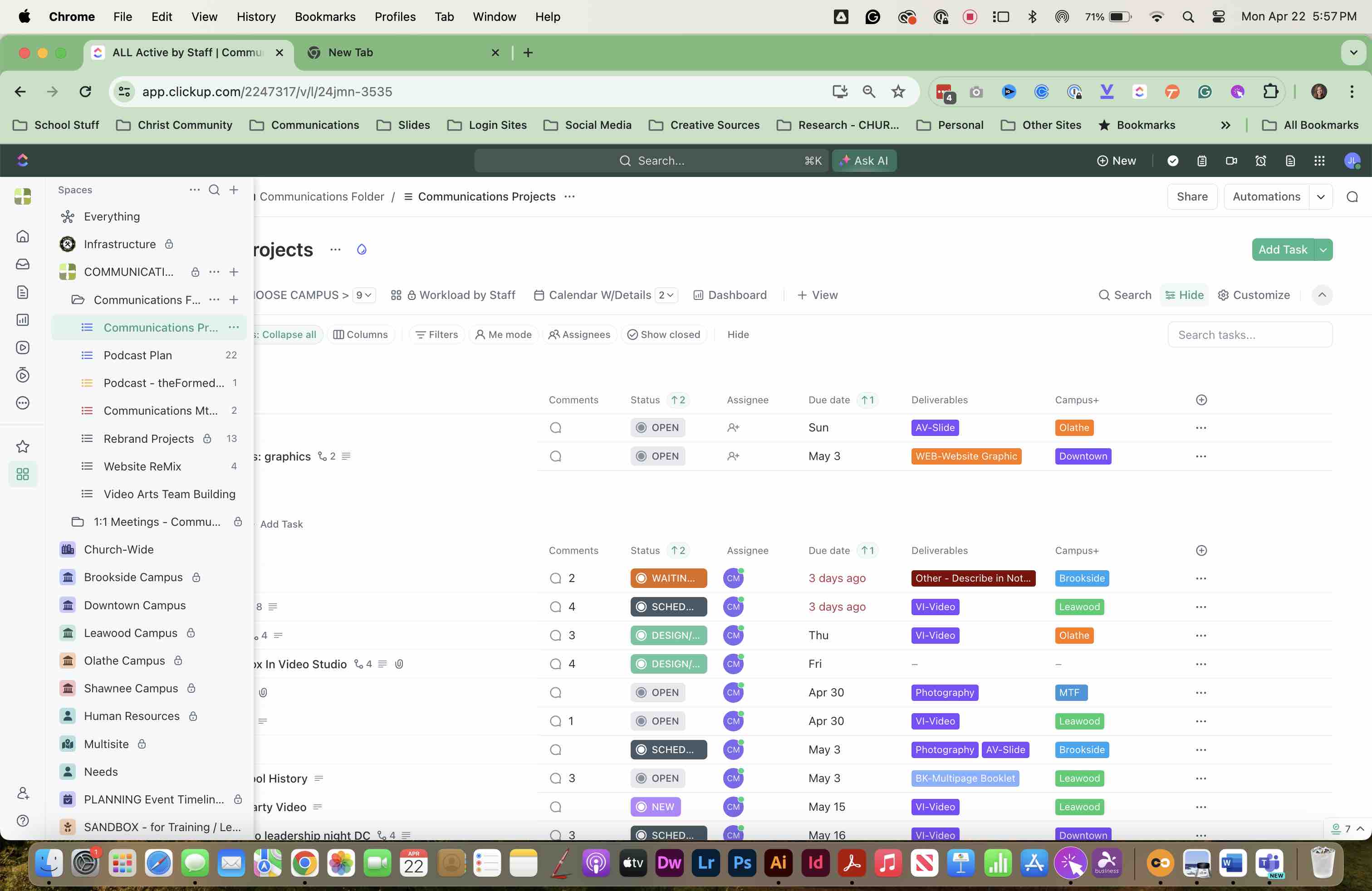
FIND THE LIST you want to add. SELECT the "..." three dots.
6
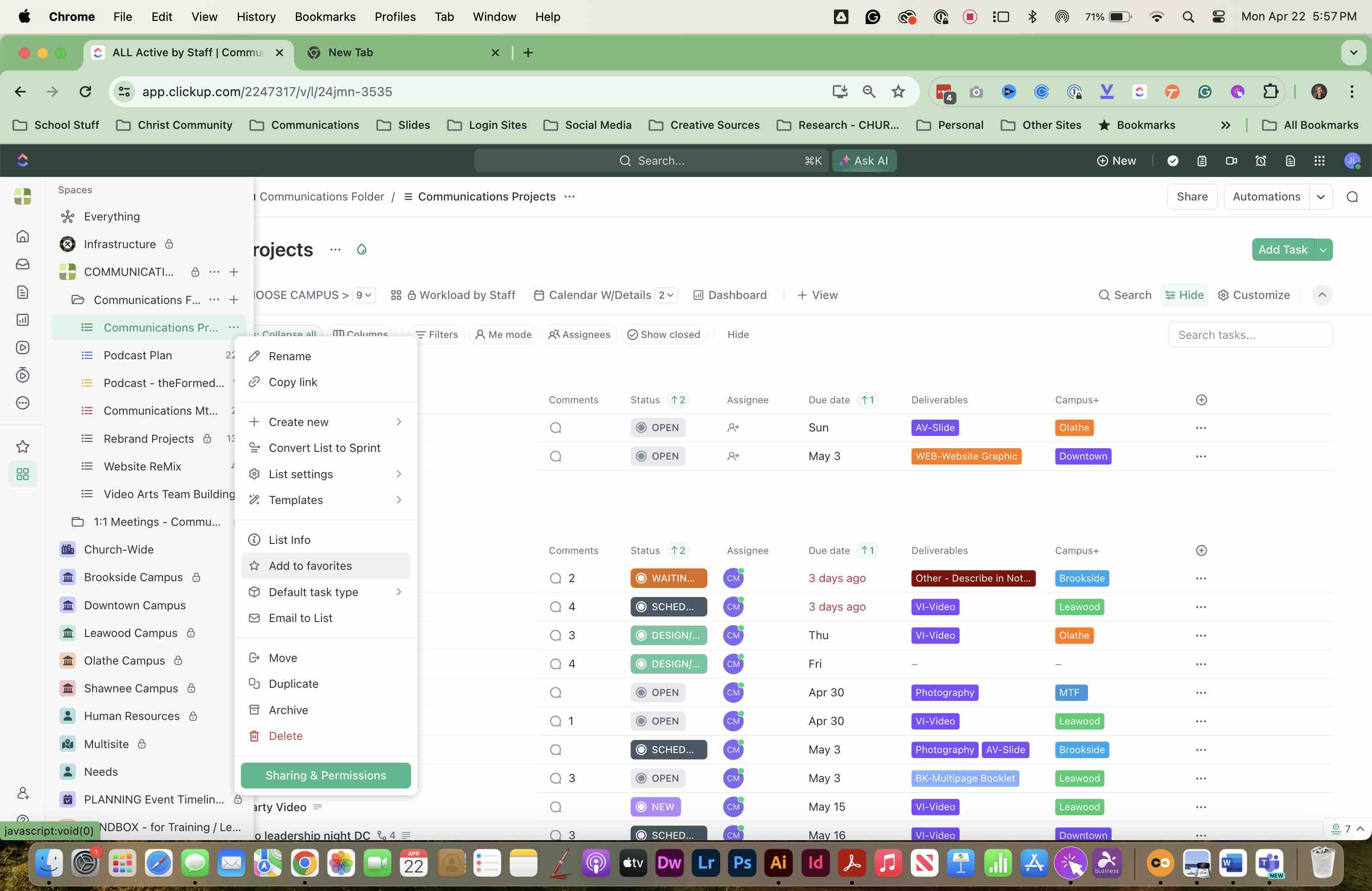
SELECT "Add to favorites" Repeat this for any LISTS or TASKS that you want to add to YOUR MENU
7
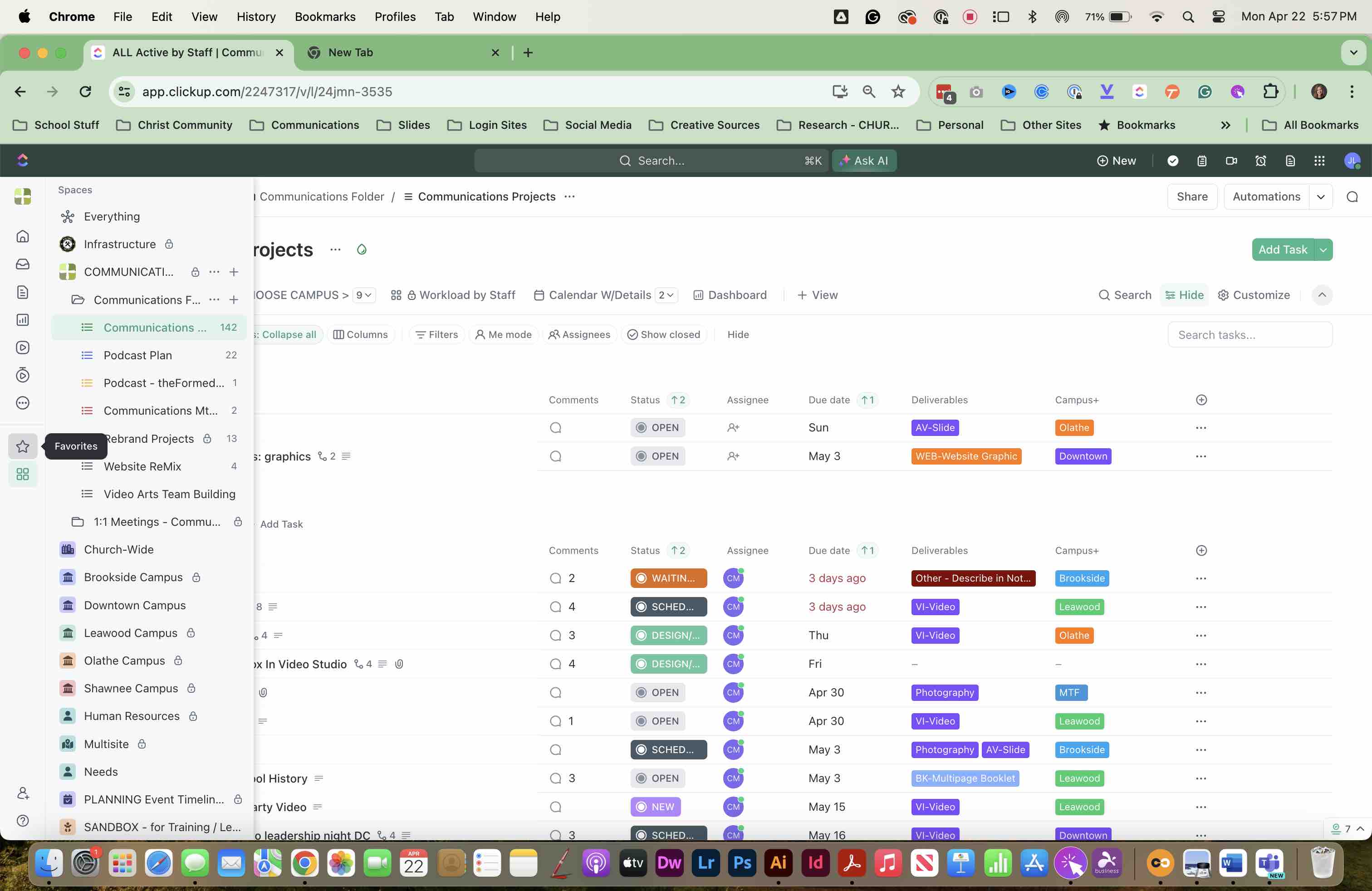
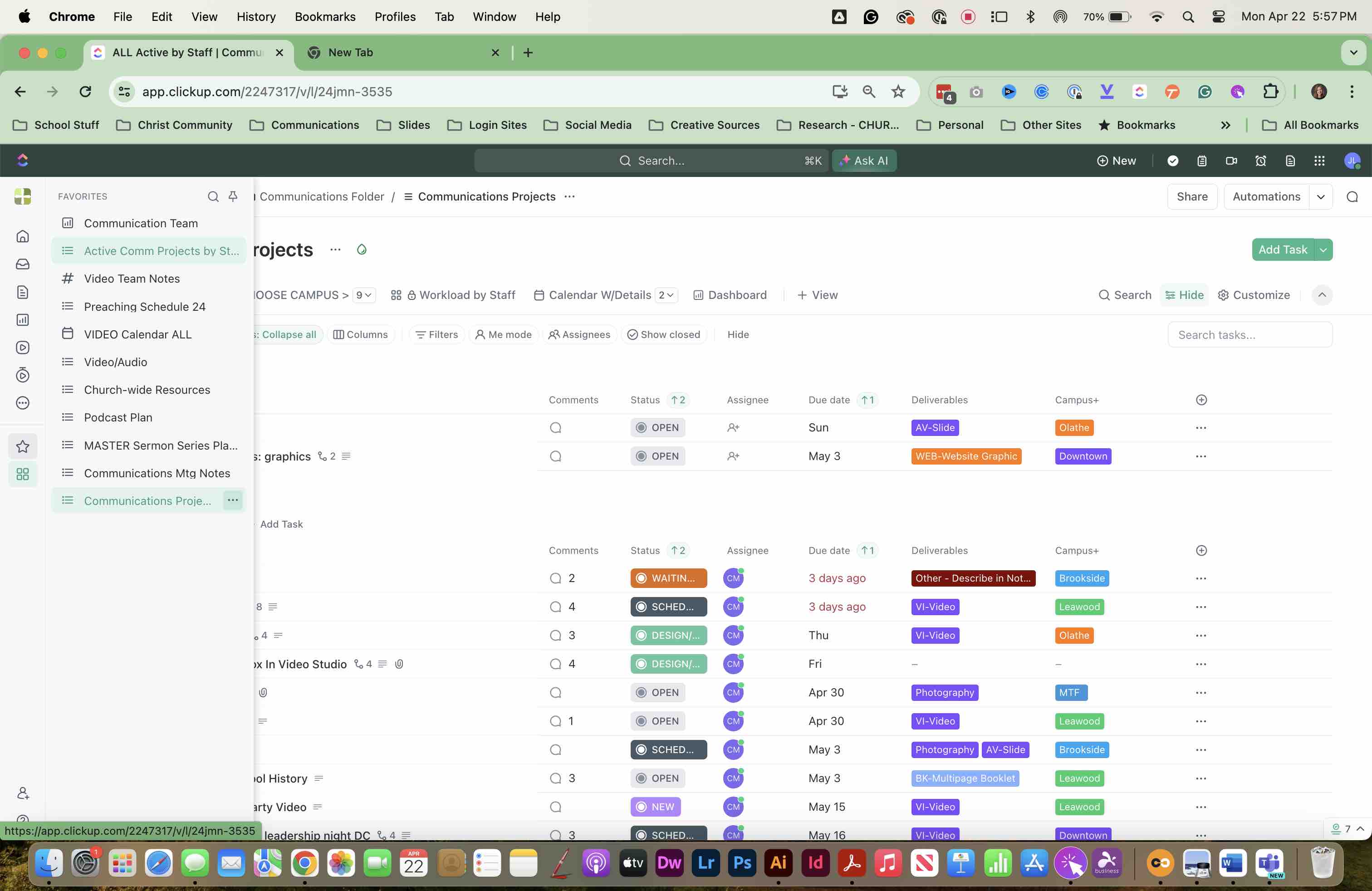
SELECT THE STAR "FAVORITES" icon on the left menu to see your list of favorites
8
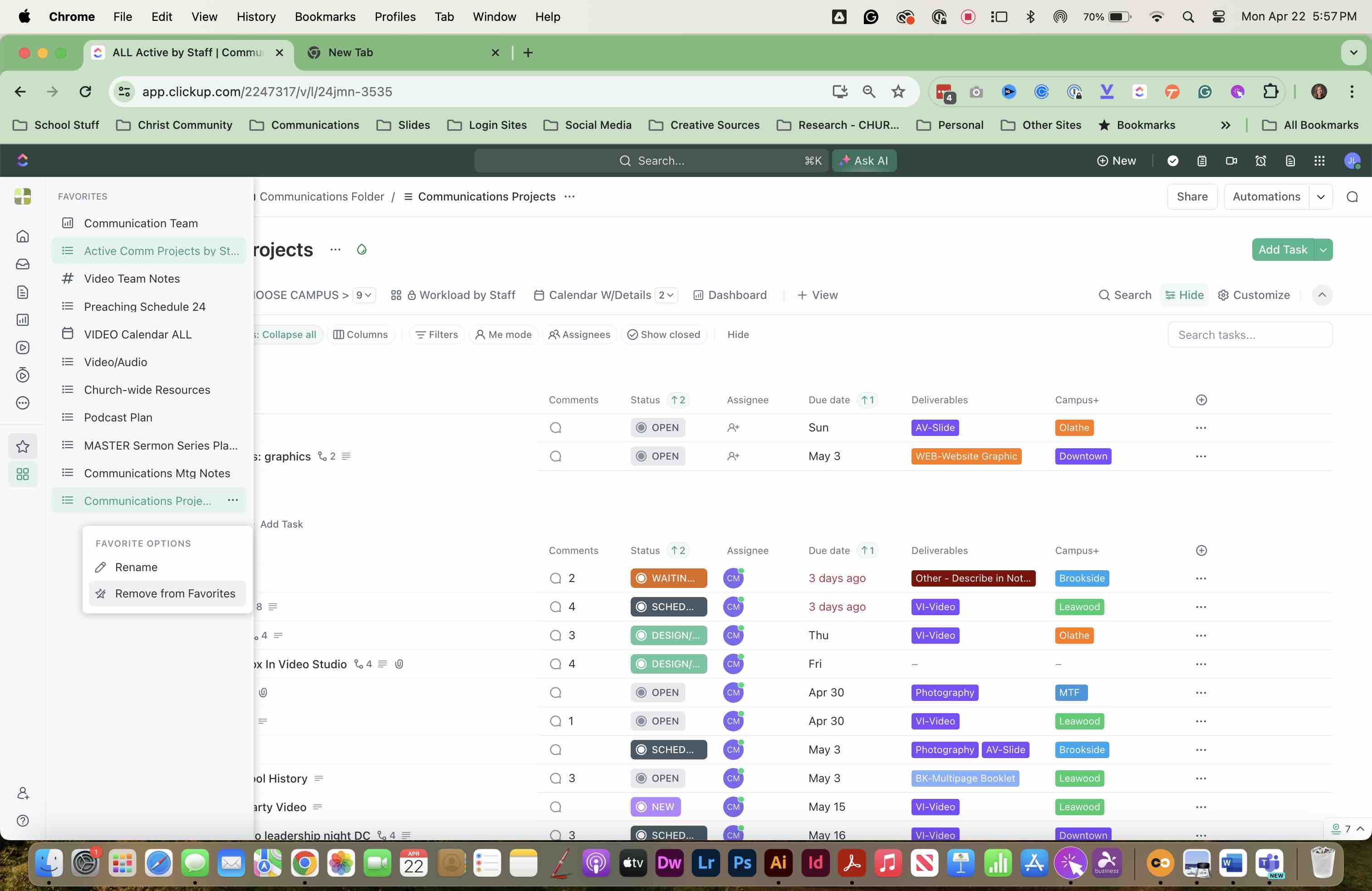
SELECT the "..." three dots to REMOVE or RENAME the MENU ITEM This will RENAME it for YOUR MENU ONLY; it will NOT rename the list.
9
Select RENAME or REMOVE FROM FAVORITES
10
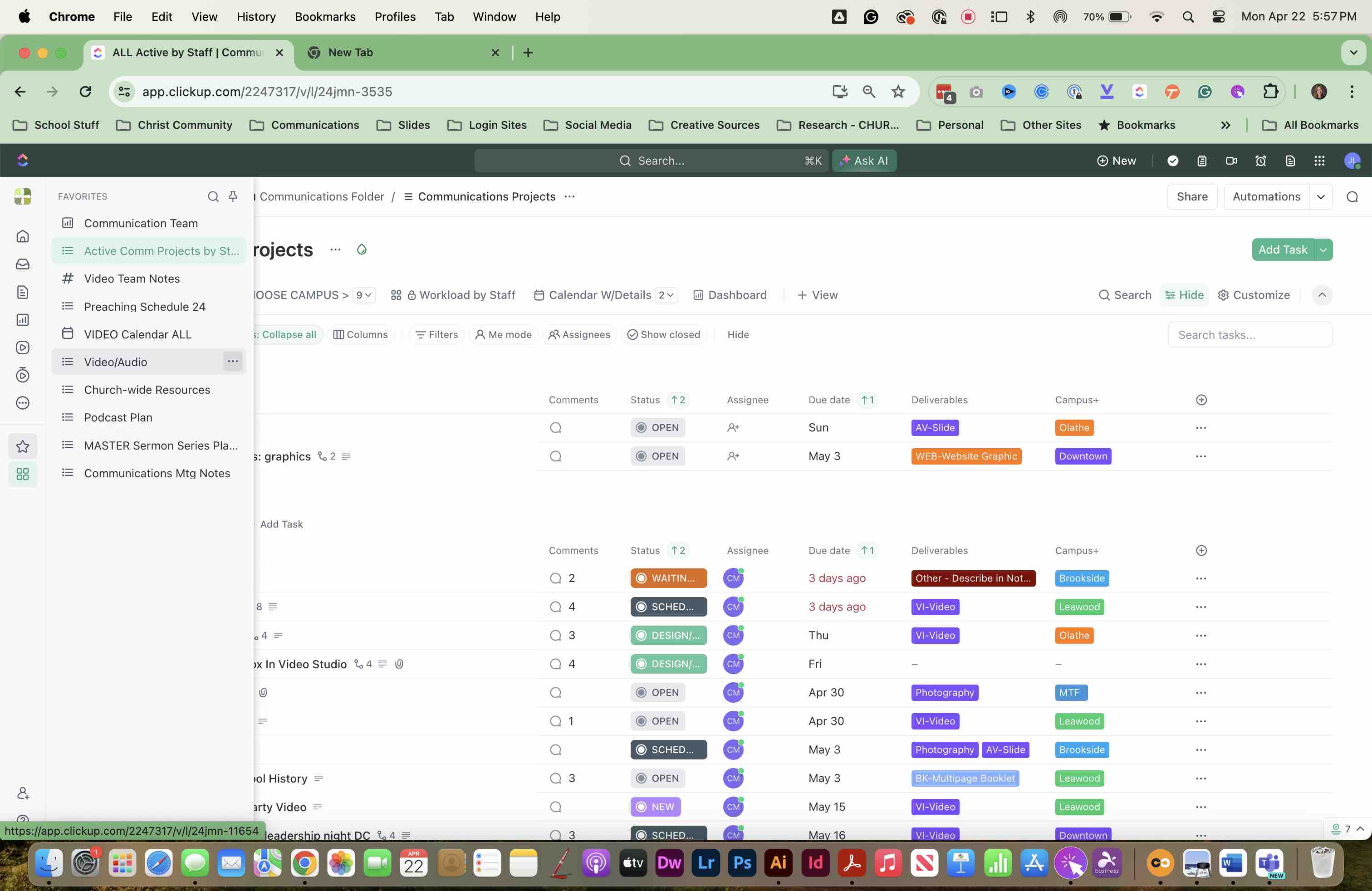
DRAG items up or down to REARRANGE your menu
11
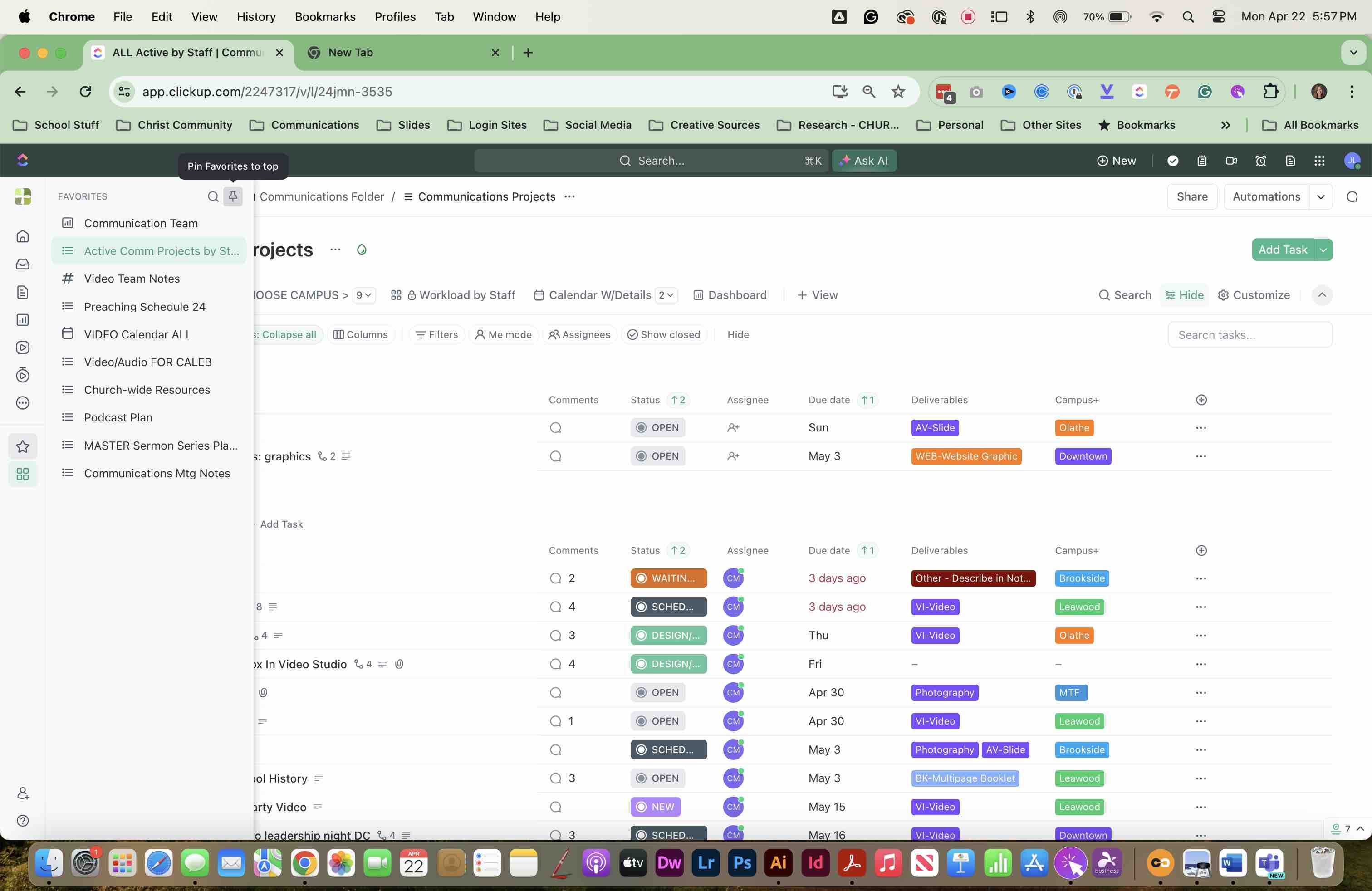
SELECT THE PIN ICON in the upper right of that window to PIN THE MENU to the top of your screen
12
VOILA! You now have your OWN PERSONAL MENU for the items you frequent the most